

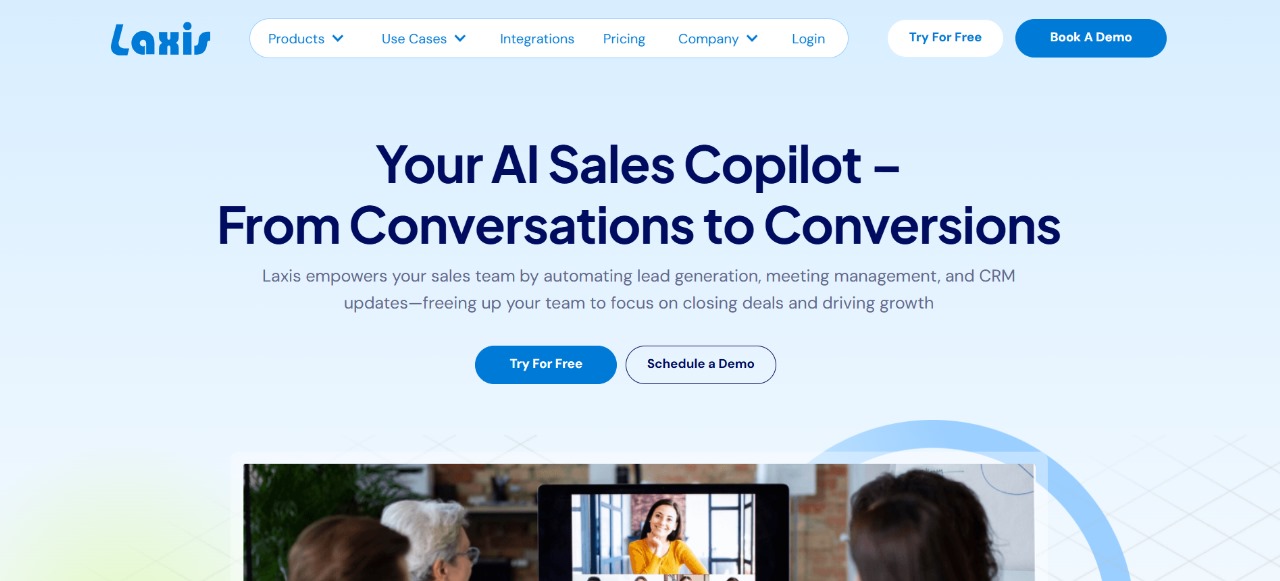
What is Laxis? – The AI Fix for Messy Meeting Notes and Lost Action Items
Estimated reading time: 20 minutes
Key Takeaways:
- Laxis automates meeting transcription and action item extraction.
- Solves common issues like fragmented notes and missed decisions.
- Integrates seamlessly with tools like Zoom and various CRMs.
- Enhances team productivity and accountability through structured summaries.
- Offers robust security and compliance features for sensitive meetings.
Table of Contents:
What is Laxis: a concise look at the AI meeting notes tool
What is Laxis solving? The core meeting problem
Common problems teams face (and where Laxis helps)
Why messy notes hurt your team’s productivity
Laxis: the practical fix for messy meeting notes
How to use Laxis: step-by-step workflow
Benefits and ROI of adopting Laxis
Advanced workflows, templates, and integrations that amplify value
Security, compliance, and governance
Laxis vs. competitors: when to pick Laxis
Pricing considerations and scale
Quick implementation checklist
Conclusion
Frequently asked questions
What is Laxis: a concise look at the AI meeting notes tool
Laxis is an AI-driven meeting assistant that transcribes conversations, extracts key points, and turns messy meeting audio into structured Laxis meeting notes and Laxis summaries. Built for teams that use Zoom and other conferencing tools, it combines Laxis transcription with smart tagging so you don’t lose decisions, tasks, or follow-ups in a tangle of scattered notes.
Think of Laxis as a meeting co-pilot: it listens like a human, types like software, and organizes like a project manager. For anyone asking “What is Laxis?” the short answer is: an automated way to capture meetings end-to-end — from Laxis AI transcription to action item extraction — so you can stop re-listening to hours of audio and start moving work forward.
What is Laxis solving? The core meeting problem
Every team knows the scene: five people on a call, three browsers open, and nobody remembers who promised what. Manual note-taking creates gaps — messy meeting notes, missed action items/decisions, and scattered follow-ups across Slack, email, and your CRM. The result is wasted time and stalled projects. Laxis targets this exact pain by auto transcribing Zoom meetings, generating Laxis summaries that highlight decisions and owners, and surfacing Laxis meeting notes you can share immediately.
Imagine replacing the post-meeting scramble with a single, searchable transcript that also lists action items and decisions. That’s the practical promise of Laxis AI: it reduces the cognitive load of remembering context and frees people to focus on discussion, not documentation. Instead of treating notes as an afterthought, Laxis treats them as a deliverable — concise, tagged, and ready to assign. Scroll down to see specific problems teams face and how Laxis addresses each one in practice.
Common problems teams face (and where Laxis helps)
Problem 1 — Fragmented notes across tools
Teams often scatter notes between meeting chat, individual docs, and task trackers. This fragmentation makes follow-up slow: someone must manually stitch context, decisions, and next steps. Laxis solves this by centralizing the transcript and extracting Laxis action items into a clear list. Use templates to standardize summaries and reduce the “where did we put that decision?” guessing game.
Problem 2 — Manual transcription is tedious and error-prone
Replaying hours of meetings wastes time and still misses nuance. With Laxis transcription, AI captures every utterance, timestamps it, and links quotes to decisions. This is especially useful for remote teams that rely on Laxis AI for Zoom transcription — no more guessing who said what during a heated discussion.
Problem 3 — Hard to share structured summaries and integrate with workflows
Even when notes exist, they sit in an unreadable blob. Laxis generates Laxis summaries that highlight decisions and owners, and supports integrations so items flow into your CRM or task manager. That reduces friction and ensures the right people receive actionables. If you’re weighing tools, consider mid-tail comparisons like Laxis vs Otter or Laxis vs Otter vs Fireflies to determine which transcription and summary features match your workflow.
These problems compound: missed decisions mean duplicated work; scattered notes mean stalled timelines. The practical remedy is both automation and structure — which is exactly where Laxis templates and CRM integration become valuable. Keep reading — next we break down why these issues are costly and what to measure to prove ROI.
Why messy notes hurt your team’s productivity
Lost context and missed action items aren’t just annoying — they cost money. Every hour spent replaying meetings or chasing clarifications is billable time lost, delayed deliverables, and reduced customer responsiveness. When follow-ups slip, revenue and trust slip with them.
Beyond dollars, there’s human cost: frustration, reduced accountability, and meeting fatigue. Teams that can’t rely on clear Laxis meeting notes stop trusting meetings altogether. That’s why automating transcription and summaries with Laxis AI isn’t a nicety — it’s a force multiplier for focus and speed.
Laxis: the practical fix for messy meeting notes
When meetings leave more confusion than clarity, Laxis acts as the practical fix teams need. Instead of scattered transcripts, half-sent follow-ups, and blurred ownership, Laxis captures audio, converts it into accurate Laxis transcription, and surfaces structured Laxis meeting notes and Laxis summaries that teams can act on immediately.
Set it to record on Zoom or upload recorded calls and Laxis AI handles the heavy lifting: speaker detection, timestamps, and automatic extraction of Laxis action items and decisions. Templates let you enforce consistent meeting formats, so every summary includes owners, deadlines, and links back to the exact transcript quote. Integrations push those action items into your CRM or task manager so nothing gets lost between tools — addressing the common pain of fragmented notes across Slack, docs, and trackers.
For searchers asking what to expect — the Google Search Intent here is informational and transactional: people want to know what Laxis does, how to use it, and whether it fits their stack and budget. Laxis answers that: fast transcription for Zoom, structured summaries, and exportable action items that reduce follow-up time. If you want a deeper look at features, pricing, and real-world use, check this in-depth Laxis AI Tool review and pricing details for a thorough breakdown. For broader context on other AI assistants, our comprehensive AI tools directory for meeting productivity lists alternatives and comparisons.
If security or compliance is on your checklist (is Laxis secure for meetings?), Laxis offers enterprise controls and integrations designed to meet workplace requirements while keeping transcripts private and auditable.
How to use Laxis: step-by-step workflow
- Sign up and connect your conferencing account
- Create an account and link Laxis to Zoom (or upload recordings). For Zoom users, ensure cloud recording settings are enabled so Laxis can fetch meeting files automatically; Zoom’s cloud-recording docs explain the permissions needed.
- In the onboarding flow choose default language and timezone, and enable speaker diarization so the transcript attributes lines to participants.
- Set capture rules and templates
- Create or pick a Laxis template for meeting type (standup, client call, demo). Templates standardize headings, required fields (e.g., decisions, owners), and the tags used by Laxis AI.
- Define which segments should become action items automatically — e.g., lines containing verbs + names — and set default owners if your team uses role-based assignments.
- Record meetings and let Laxis transcribe
- Start the Zoom call and record. Laxis AI for Zoom transcription pulls the recording and begins transcribing automatically. For manual uploads, drag-and-drop the file into the Laxis dashboard.
- The transcription process returns a time-stamped transcript with speaker labels, confidence scores, and highlighted segments the AI deems important.
- Review extracted items and refine
- Open the generated Laxis meeting notes. You’ll see a structured summary and an itemized list of action items, decisions, and key quotes linked to timestamps.
- Use quick-edit fields to correct owner assignments, add due dates, or merge duplicate items. Laxis templates speed up this step by enforcing required fields so nothing slips through.
- Assign and distribute tasks
- Export action items to your CRM or task manager via Laxis CRM integration options. If your team tracks deals or tickets, map fields so a meeting task becomes a CRM activity automatically.
- Share the Laxis summaries with stakeholders via email or a shared link. The summary includes quick-jump links back to exact moments in the transcript for context.
- Automate follow-up and reporting
- Set rules that trigger reminders or Slack pings for overdue action items. Use meeting analytics to track average time-to-complete action items and which roles tend to miss commitments.
- For recurring meetings, clone templates to keep summaries consistent and reduce post-meeting cleanup.
- Evaluate accuracy and tune models
- Periodically review transcription confidence and adjust microphone or recording settings. For multilingual teams, enable language detection or custom vocabularies to improve Laxis transcription accuracy.
- If you’re comparing tools (Laxis vs Otter or Laxis vs Otter vs Fireflies), test parallel recordings and compare transcription speed, action-item extraction, and integration depth to pick the right fit for your workflow. See Otter.ai features for another perspective.
Practical tips: Use short, explicit prompts during meetings when assigning tasks (“Sam — action: send proposal by Friday”) because natural language cues make Laxis AI extraction more reliable. Enable role-based defaults so when a product manager says “I’ll own this,” the system assigns the correct person by role.
Benefits and ROI of adopting Laxis
Adopting Laxis translates directly into saved time and clearer accountability. Teams report dramatically reduced post-meeting work: no more replaying calls, fewer clarification threads, and faster task uptake. Laxis meeting notes become a single source of truth — searchable, timestamped, and linked — which reduces duplicate work and accelerates decision follow-through.
From an ROI perspective, quantify savings as hours saved per attendee per week multiplied by average hourly cost. Even modest reductions in rework and follow-up email volume compound into significant productivity gains across a quarter. Laxis templates and automatic extraction reduce manual admin, so managers spend less time policing tasks and more time executing.
Operationally, Laxis improves customer responsiveness: faster follow-ups and clear owner assignment increase win rates and customer satisfaction. The integration capabilities (CRM, Slack, task managers) make Laxis a workflow accelerator rather than another siloed tool.
Security-conscious teams gain the benefit of auditable transcripts and controlled sharing — an important factor when evaluating is Laxis secure for meetings. For teams comparing costs and plans, Laxis pricing tiers align with usage and features, letting you scale without surprising bills. If you want a deeper comparison and feature walkthrough before deciding, read this in-depth Laxis AI Tool review and pricing details.
What is Laxis — in short: a time-saving, accountability-driving AI assistant that turns messy meeting audio into clear Laxis summaries and action items you can act on immediately.
Advanced workflows, templates, and integrations that amplify value
Once Laxis basic setup is in place, small changes unlock outsized gains. Build specialized Laxis templates for recurring meetings (sales demos, weekly standups, customer interviews). Templates enforce consistent headings, required fields, and extraction rules so summaries always include decisions, owners, and due dates. Use role-based defaults and custom vocabularies to improve Laxis transcription accuracy for product names, acronyms, or client-specific terms.
Combine Laxis CRM integration with automation rules: when a demo call produces a “next step” action item, map it to a CRM task with a close date and owner. This closes the loop between conversation and pipeline. For remote teams, link Laxis summaries to Slack channels or shared docs so meeting decisions are visible in the tools people already check.
Pro tip: schedule a weekly “notes hygiene” routine where someone verifies extracted action items and updates due dates. That small habit keeps Laxis meeting notes actionable and prevents backlog.
Security, compliance, and governance
Security-conscious teams often wonder: is Laxis secure for meetings? Laxis includes enterprise-grade controls like permissioned sharing, audit logs, and data retention settings to align with company policies. For regulated industries, combine Laxis access controls with your identity provider and ensure recordings are stored in compliant cloud locations.
If you use Zoom, enable cloud recording only for meetings that require transcription and follow Zoom’s recommended settings. Zoom’s cloud-recording documentation helps configure the permissions Laxis needs to fetch files securely. Maintain a clear retention policy for transcripts and train users on what can be shared externally.
Laxis vs. competitors: when to pick Laxis
Choosing between Laxis vs Otter or Laxis vs Otter vs Fireflies comes down to workflow needs:
- If your priority is tight CRM integration and action-item automation, Laxis’s export and mapping features are strong.
- If you need broad collaborative transcription with many free users, Otter.ai may appeal for heavy note-sharing scenarios; compare their features on Otter.ai’s site.
- For teams focused on meeting intelligence across many platforms, evaluate which tool provides the integration depth and accuracy you need.
Run a short pilot: record identical meetings and compare transcription accuracy, speed, and the usefulness of generated action items. Measure time saved in post-meeting work and clarity of owner assignment to decide which tool maximizes ROI.
Pricing considerations and scale
Laxis pricing varies by features, transcription minutes, and enterprise needs. When evaluating plans, calculate expected monthly usage (minutes per meeting × meetings per month) and match that to the pricing tier. Consider cost-per-action-item: a higher-priced plan with deeper automation may pay for itself if it removes manual follow-up overhead.
If budget is tight, start with a small team pilot and focus on high-value meetings (sales, client onboarding). Use Laxis templates to guarantee consistent value before rolling it organization-wide.
Quick implementation checklist
- Enable cloud recording for your conferencing account and connect Laxis.
- Create three core templates (sales call, standup, customer support).
- Set default extraction rules for action items and decisions.
- Map fields to your CRM and test one export flow.
- Set retention and sharing policies; train the team on short explicit prompts to improve extraction.
- Run a 30-day pilot and measure hours saved vs. baseline.
Conclusion
Laxis solves a common, painful problem: messy meeting notes, missed action items, and scattered follows-ups. It does this by combining accurate Laxis transcription with AI extraction that turns raw audio into structured Laxis meeting notes, summaries, and action items you can assign and export. The real value appears in workflows — templates, CRM integration, and automation reduce manual cleanup and accelerate follow-through.
For teams using Zoom, Laxis AI for Zoom transcription simplifies capture and indexing of conversations so you can search, quote, and revisit decisions quickly. Security controls and audit trails help teams meet compliance requirements while preserving the benefits of searchable transcripts. If you evaluate Laxis vs Otter or other alternatives, run a focused pilot and measure time saved on post-meeting work and clarity of ownership. What is Laxis? It’s an efficiency engine for meetings that replaces chaos with clarity and accountability.
Laxis FAQs
How accurate is Laxis transcription?
How accurate is Laxis transcription?
Laxis delivers highly accurate real-time transcriptions, consistently praised for precision and clarity—especially in professional meeting environments. Users on platforms like G2 rate it around 4.2 out of 5, frequently noting its impressive performance in capturing spoken content accurately and summarizing meetings effectively.
That said, like any AI transcription tool, its accuracy can vary depending on audio quality, speaker accents, and background noise. While most transcriptions are reliable, complex terminology or lower-quality audio may require manual edits. Ensuring clear input (e.g., using good microphones and minimizing noise) will help maximize accuracy and results.
Can Laxis integrate with my CRM and task manager?
Can Laxis integrate with my CRM and task manager?
Absolutely—Laxis offers robust integration capabilities to streamline your workflow across CRMs, task managers, and virtually any other tool you rely on.
Direct CRM integrations: Laxis connects seamlessly with major CRM platforms like HubSpot, Salesforce, and Wealthbox, automatically syncing meeting summaries, action items, and customer notes to the right contact or record. This eliminates manual logging and ensures your pipeline stays updated in real-time.
Zapier-powered flexibility: Through Zapier, Laxis integrates with over 7,000 apps, including task management tools such as Notion, collaboration platforms like Slack, and document software like Google Docs. You can automate workflows like sending meeting summaries to your task board or notifying your team channel instantly.
Is Laxis secure for confidential meetings?
Is Laxis secure for confidential meetings?
Yes—Laxis is designed with robust security measures that make it safe for handling confidential meetings. It is SOC 2 (Type 2) certified, which involves rigorous independent auditing of its data protection controls. Laxis also employs end-to-end encryption, ensuring that your meeting data is protected in transit and while at rest. All meeting transcripts are stored in their secure cloud, accessible only by authorized users. Additionally, Laxis complies with GDPR, has role-based access controls, and performs regular monitoring to detect and prevent vulnerabilities.
So, whether you’re discussing sensitive business matters, client information, or proprietary strategies, Laxis offers a trustworthy environment for securely capturing and managing your meeting data.
How do I generate consistent meeting notes with Laxis?
How do I generate consistent meeting notes with Laxis?
To ensure consistent and reliable meeting notes with Laxis, start by using personalized meeting templates. These templates let you define key topics, keywords, and note structure before the meeting, so each transcript follows the same format and captures what matters most to your workflow.
During the meeting, Laxis transcribes in real time while allowing you to highlight important moments and add quick in-meeting notes. This helps capture decisions, quotes, and takeaways exactly as they happen.
After the meeting, Laxis automatically compiles a polished summary with action items, key quotes, and next steps—all aligned with your template. These notes can be auto-exported to your CRM, emailed as follow-ups, or pushed into collaboration tools via integration (Zapier, Notion, CRM apps)—maintaining both clarity and consistency across your team’s workflow
Start generating clear meeting notes and automated action items by trying Laxis AI for Zoom transcription and summaries today. Get Laxis for automated meeting notes, CRM integration, and structured action items with this Laxis sign-up for meeting productivity.
CharlieAITools was created with love to help you discover the best AI tools and transform your life, your ideas, and your projects. By signing up through my affiliate link, you help me keep this site running and continue to share valuable resources with fellow entrepreneurs. Thanks a ton for your support!


