What Is Slack?: Your Hub for Team Communication and Workflow Automation
In today’s fast-paced work environment, effective communication and streamlined operations are no longer luxuries – they’re necessities. Many professionals find themselves searching for “what is Slack” as they look for solutions to common workplace challenges, from scattered conversations to time-consuming manual tasks. Understanding this powerful platform is crucial for anyone aiming to boost team productivity and foster seamless collaboration.
Slack stands out as a comprehensive digital workspace designed to bring people, information, and tools together. It serves as a central hub where teams can communicate in real-time, share files, and organize projects, all while reducing the reliance on endless email chains. By centralizing these essential functions, Slack helps teams cut through the noise and focus on what truly matters. After reading What Is Slack, continue with our detailed Slack Review for the full evaluation before choosing.
The Challenge of Disconnected Communication and Information Overload
Many teams grapple with a fundamental problem: fragmented communication and an overwhelming flood of information. Picture this: critical project updates are buried in email threads, important decisions are made in separate chat apps, and key files are scattered across various cloud storage services. This creates an environment where information silos thrive, making it incredibly difficult for team members to find what they need, when they need it. The result is often a significant drain on productivity as valuable time is spent searching rather than doing.
This constant struggle to keep everyone on the same page leads to missed information and a lack of shared context. Team members, like Alex the Agile Manager, frequently express frustration over information getting lost in the shuffle, leading to misunderstandings or duplicated efforts. When communication isn’t centralized and easily searchable, the collective knowledge of the team becomes fragmented, hindering progress and making it harder to onboard new members or revisit past decisions.
Beyond Communication: The Hidden Costs of Manual Tasks and Scattered Tools
The challenges extend far beyond just communication. Many teams are bogged down by repetitive administrative tasks that consume valuable time and energy. From sending routine reminders to updating project statuses manually, these tasks, while necessary, prevent team members from focusing on more strategic and impactful work. Alex often wishes there was a better way to handle these day-to-day operations, as they frequently interrupt the flow of creative and problem-solving work.
Adding to this complexity is the proliferation of tools. Teams often use a different application for every function: one for project management, another for file sharing, a third for video calls, and several for various forms of internal communication. This tool fragmentation creates a disjointed workflow, forcing users to constantly switch contexts, log into different platforms, and manually transfer information. The lack of a centralized knowledge base means crucial insights and documents are often difficult to locate, further slowing down progress and increasing frustration.
Why These Common Workplace Challenges Hold Your Team Back
These seemingly minor daily frustrations accumulate into significant obstacles that can severely impact a team’s performance and overall success. When information is hard to find and communication is inefficient, decisions slow down, leading to missed opportunities and delays in project delivery. The time wasted on searching for answers or performing manual tasks directly translates into reduced output and higher operational costs. This constant struggle can also lead to increased stress and lower morale among team members, who feel overwhelmed by the disorganization.
Moreover, the inability to easily access centralized knowledge or automate routine processes can stifle innovation and creativity. Teams spend less time collaborating on new ideas and more time managing the mechanics of their work. This not only affects the quality of work but also makes it difficult for teams to adapt quickly to new challenges or market changes. Ultimately, these problems hinder a team’s ability to achieve its goals, impacting everything from project deadlines to overall business growth and employee satisfaction.
Embracing Slack: The Smart Way to Unify Your Team and Automate Workflows
So, you’ve seen the challenges – the endless email threads, the frustrating hunt for lost files, and the constant context-switching between a dozen different applications. It’s enough to make anyone feel like they’re running a digital marathon just to get simple things done! But what if there was a better, more integrated way to work, a true digital home for your team? This is precisely where Slack steps in, transforming those common workplace frustrations into powerful opportunities for efficiency, clarity, and genuine connection. It’s designed to be your team’s digital command center, a place where everything and everyone connects seamlessly and productively.
Slack isn’t just another chat app; it’s a dynamic, comprehensive platform built to tackle the very core of disconnected work and information overload. By bringing all your conversations, files, and essential tools into one unified space, it effectively eliminates the communication silos that often hold teams back. For those asking, ‘what is Slack?’ it’s the answer to regaining precious time, fostering transparent communication, and empowering your team to focus on meaningful, impactful work, rather than getting bogged down by administrative overhead.
This powerful solution helps streamline your daily operations, making collaboration feel less like a chore and more like a natural, productive flow for everyone involved.
Getting Started with Slack: A Glimpse into Collaborative Workflows
Understanding how Slack works is key to unlocking its full potential for your team. Imagine a digital office where every conversation has a clear purpose, every file is easy to find, and every tool you use daily is just a click away. This platform creates that environment by organizing communication around specific topics, projects, or departments. Let’s explore the fundamental ways users typically engage with this powerful collaboration solution.
1. Organize Conversations with Channels
At Slack’s core are ‘channels,’ dedicated chat rooms for specific topics, projects, or teams. Instead of scattered email threads, you create channels for ‘Project Alpha’ or ‘Marketing Ideas.’ This structure ensures discussions are focused, relevant, and easily searchable. Team members can join or leave channels as needed, keeping everyone informed without overwhelming them. It’s like having a perfectly organized filing cabinet for all your team’s discussions, ensuring clarity and context for every project.
2. Communicate Directly and Privately
Beyond channels, Slack offers direct messages (DMs) for one-on-one or small group private conversations. Need to quickly ask a colleague a question without cluttering a project channel? A DM is your go-to. You can also create private channels for sensitive discussions or specific sub-teams, ensuring only invited members have access. This flexibility allows teams to maintain both broad transparency and necessary privacy, adapting to various communication needs throughout the workday.
3. Share Files and Information Seamlessly
Sharing files in Slack is incredibly straightforward. You can drag and drop documents, images, videos, and links directly into any channel or direct message. These files are then instantly accessible to relevant team members and automatically indexed for easy searching later. No more emailing large attachments or wondering where that crucial document ended up! This feature ensures all project-related assets are centralized and readily available, reducing time spent hunting for information.
4. Integrate Your Favorite Tools and Automate Tasks
One of Slack’s most powerful aspects is its ability to integrate with hundreds of other applications your team already uses, from project management tools to cloud storage services. This means you can receive notifications, share updates, and even take actions from other apps directly within Slack, reducing the need to constantly switch platforms. This integration capability transforms Slack into a central hub for all your digital operations.
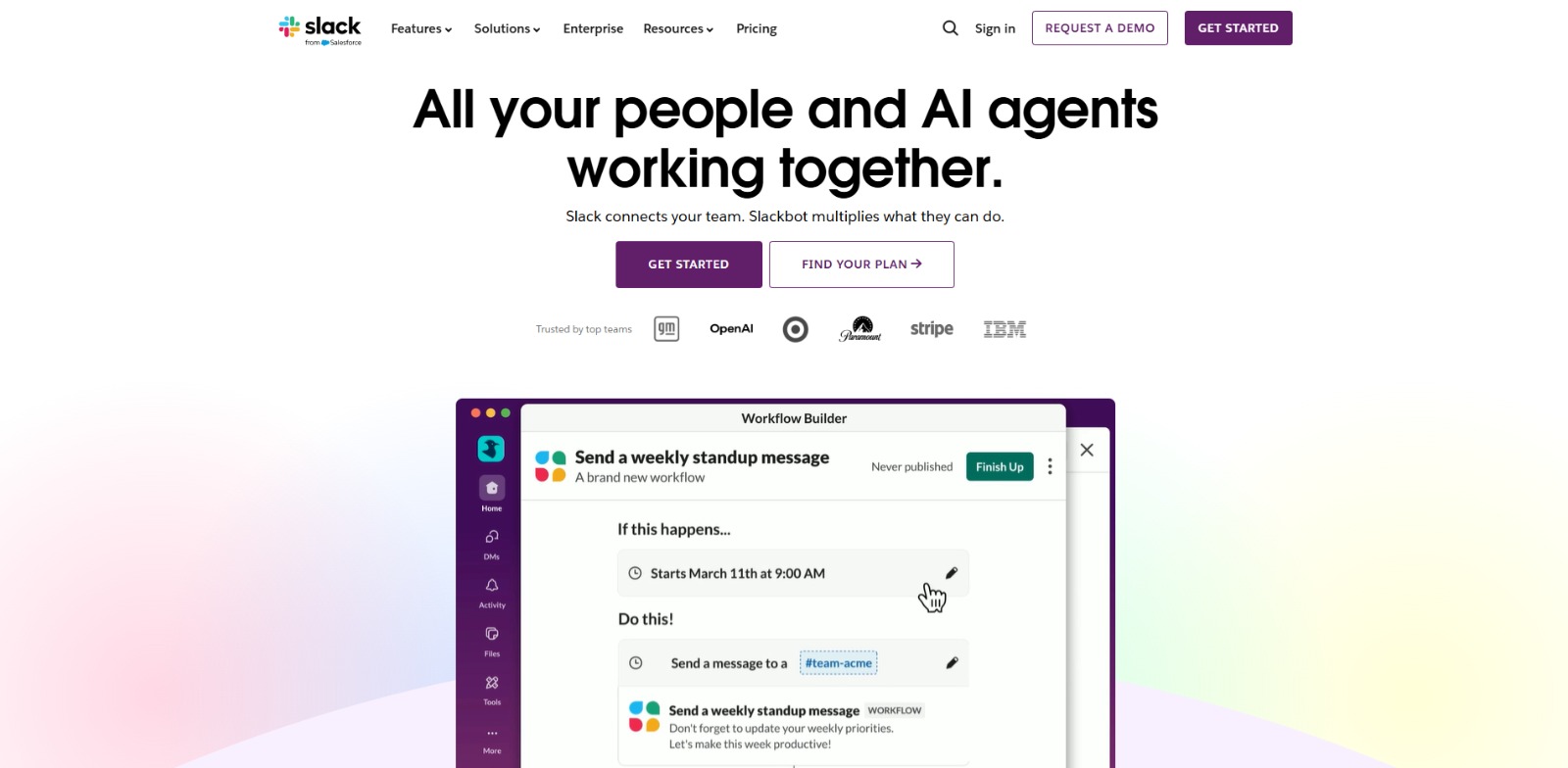
Furthermore, the platform allows for basic workflow automation, letting you set up custom responses or actions like sending reminders or welcoming new members. This streamlines repetitive tasks, freeing up valuable time, and truly highlights how Slack acts as a smart central nervous system for your digital ecosystem.
5. Find Anything with Powerful Search
With so much information flowing, quickly finding what you need is crucial. Slack’s robust search functionality allows you to instantly locate messages, files, and specific keywords across all your channels and direct messages. You can filter searches by person, channel, date, and file type, ensuring no piece of information ever truly gets lost. This powerful feature is a lifesaver for revisiting past decisions or onboarding new team members efficiently.
The Transformative Benefits of Adopting Slack for Your Team
Adopting Slack brings a cascade of powerful benefits that directly address the challenges many teams face daily. First and foremost, it significantly reduces communication friction and information overload. By centralizing conversations in topic-specific channels, information is much easier to find, and critical updates are far less likely to be missed. This transparency fosters a shared understanding across the entire team, leading to quicker, more informed decision-making. No more digging through endless email chains or wondering if everyone got the memo – it’s all right there, clear as day, enhancing overall clarity and context.
Beyond communication, Slack dramatically boosts overall team productivity and operational efficiency. Automating routine tasks and seamlessly integrating with your existing tools means less time spent on manual administrative work and more time focused on strategic, impactful initiatives. This streamlined workflow not only saves valuable hours but also significantly reduces operational friction, allowing your team to move faster and adapt more readily to new challenges.
The result is a more engaged, less stressed workforce, empowered to collaborate effectively and achieve better business outcomes, ultimately enhancing job satisfaction and team morale.
Slack: Your Team’s Digital Home for Smarter Collaboration
As we’ve explored, the journey from scattered communication to a truly unified and efficient workspace can feel daunting. Yet, understanding what Slack is reveals a powerful solution designed to transform this challenge into an opportunity. It’s more than just a messaging app; it’s a strategic platform that centralizes your team’s conversations, files, and essential tools, effectively dismantling communication silos and fostering a culture of transparency and collaboration. For teams grappling with information overload and disjointed workflows, Slack offers a clear path to regaining focus and boosting collective productivity.
The durable value of Slack lies in its ability to create a consistent, accessible digital environment where every team member feels connected and informed. Ideal users are those ready to move beyond traditional email chains and embrace a dynamic, integrated approach to work. Key decision factors often revolve around the need for seamless tool integration, robust search capabilities, and a desire for a more engaged, less stressed workforce. Ultimately, Slack empowers teams to spend less time managing communication and more time innovating and achieving their goals, making it a cornerstone for modern, agile organizations.
Ready to Transform Your Team’s Workflow and Reclaim Your Day?
Are you tired of the endless email chains, the frantic search for lost documents, and the constant feeling of being out of sync with your team? Imagine a world where every conversation has a home, every file is instantly accessible, and your team communicates with crystal-clear efficiency. This isn’t just a dream; it’s the reality that Slack helps create, turning workplace chaos into calm, connected productivity. It’s about empowering your team to focus on what truly matters, fostering genuine collaboration, and achieving shared goals with unprecedented ease.
Embracing a tool like Slack means investing in a smoother, more integrated way of working that reduces friction and boosts morale. It’s about giving your team the digital environment they need to thrive, innovate, and stay connected, no matter where they are. If you’re ready to experience a more cohesive, productive, and less chaotic way of working, it’s time to explore what Slack can do for your team.
Visit Slack and start building a smarter workspace today!
Slack FAQs
What is Slack used for?
What is Slack used for?
Who is Slack best for?
Who is Slack best for?
How does Slack generally work?
How does Slack generally work?
Is Slack beginner-friendly?
Is Slack beginner-friendly?
CharlieAITools was created with love to help you discover the best AI tools and transform your life, your ideas, and your projects. We aim to share valuable resources with fellow entrepreneurs. Thanks a ton for your support!