What Is Design.com and How Does This AI Tool Help with Visuals and Websites?
In today’s fast-paced digital world, establishing a strong visual presence is non-negotiable for any business or personal brand.
Yet, many entrepreneurs, small business owners, and freelancers find themselves without the specialized design skills or the budget to hire professionals.
This often leads to a crucial question: what is Design.com, and can an AI-powered platform truly bridge this gap, especially when it comes to essential marketing assets and even an AI website builder?
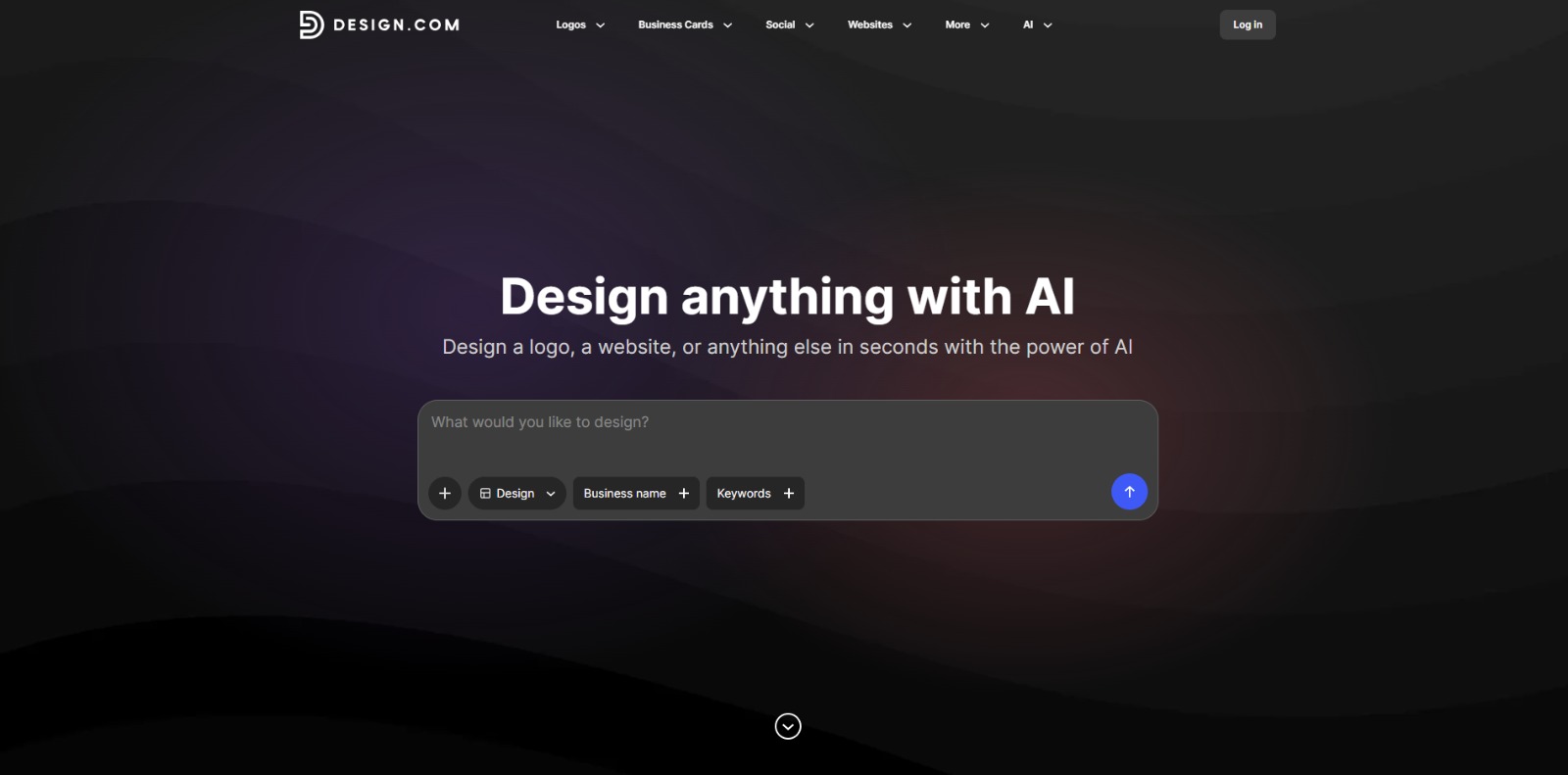
Design.com is an innovative AI-powered platform that serves as a smart design assistant, empowering users to craft everything from striking logos to engaging social media graphics and foundational website elements.
Understanding what this AI tool offers is key for anyone looking to create professional-grade visual content quickly and affordably, making high-quality design accessible to everyone. After learning What Is Design.com, visit our full Design.com Review to see if it’s the right AI tool for your workflow.
The Challenge: Creating Professional Visuals Without Design Expertise
For many small business owners and marketing professionals, the need for compelling visual content is constant, but the ability to produce it is a significant hurdle.
Imagine launching a new product, promoting an event, or simply trying to maintain a consistent online presence.
Each of these tasks demands a steady stream of logos, banners, social media posts, and more.
The core problem is often a fundamental lack of design skills.
Without a background in graphic design, navigating complex software like Photoshop can feel overwhelming and incredibly time-consuming.
This skill gap means that even with a clear vision, translating it into a professional-looking visual asset becomes a frustrating, often impossible, task.
The result is either subpar designs that fail to capture attention or a complete avoidance of crucial visual marketing efforts.
Beyond Skills: Time, Cost, and Consistency Hurdles
Even for those with some design inclination, the challenges extend far beyond just technical skills.
Startup Sam, a typical small business owner, faces relentless time constraints, juggling countless responsibilities from operations to sales.
Dedicating hours to meticulously crafting a social media graphic or a new flyer simply isn’t feasible when every minute counts towards core business growth.
Deadlines loom large, and design tasks often get pushed aside.
Furthermore, the financial aspect is a major deterrent.
Hiring a professional graphic designer or agency, while ideal for quality, often comes with a hefty price tag that most startups and freelancers cannot afford.
This budget limitation forces many to compromise on quality or attempt DIY solutions that rarely achieve the desired professional polish.
The cost-benefit analysis often tips against external design help.
Finally, maintaining brand consistency across all marketing materials presents another significant hurdle.
Without a unified design approach or a dedicated brand guide, visuals can quickly become a patchwork of different styles, fonts, and color palettes.
This inconsistency dilutes brand recognition, confuses the audience, and undermines the professional image a business strives to build, making it harder to stand out in a crowded market.
Why These Design Challenges Impact Your Business Growth
These seemingly isolated design challenges coalesce into significant roadblocks that can severely hamper business growth and impact your bottom line.
When visuals are unprofessional or inconsistent, your brand struggles to make a memorable first impression, leading to missed opportunities.
Potential customers might scroll past your social media posts, overlook your ads, or dismiss your website, simply because the visual appeal doesn’t convey credibility or quality.
The time and money wasted on ineffective design efforts also represent a direct drain on resources.
Hours spent wrestling with complicated software or trying to fix amateurish graphics are hours not dedicated to refining your product, engaging with customers, or developing new strategies.
This operational inefficiency slows down decision-making and diverts precious capital that could be invested in more impactful areas of your business.
Ultimately, a lack of professional, consistent visuals can lead to a damaged brand perception.
In an era where visual identity is paramount, an inconsistent or amateurish look can erode trust and make your business appear less reliable or established than competitors.
This not only hinders customer acquisition but can also impact customer retention, as a strong, recognizable brand fosters loyalty and provides a competitive edge.
Design.com: Your AI-Powered Solution for Effortless Visuals and Websites
After wrestling with the frustrations of design limitations, many wonder: “What is this AI tool that promises to simplify everything?” Design.com steps in as that much-needed ally, transforming the daunting task of creating professional visual content into an accessible and even enjoyable process.
This platform is built specifically for those who need stunning graphics and a cohesive online presence but lack the traditional design background, time, or budget.
Design.com acts as your personal AI design assistant, guiding you through the creation of logos, social media posts, marketing materials, and even foundational website elements with remarkable ease.
Imagine having a design expert available 24/7, ready to translate your ideas into polished visuals without the steep learning curve of complex software.
This AI solution empowers small business owners, marketers, and freelancers to maintain a consistent, professional brand identity across all digital touchpoints, helping you stand out and connect with your audience without breaking the bank or sacrificing precious time.
How Design.com Generates Professional Visuals and Website Elements with AI
Getting started with Design.com is designed to be straightforward, allowing users of all skill levels to quickly move from concept to creation.
The platform leverages artificial intelligence to streamline the design process, making it feel less like a chore and more like a collaborative effort with a smart assistant.
Here’s a general overview of how you can typically use this powerful AI solution to bring your visual ideas to life and build your online presence.
Step 1: Define Your Project and Vision
The journey begins by telling Design.com what you want to create.
Whether it’s a new logo, a social media post for an upcoming campaign, or the initial structure of a website, you’ll start by selecting your project type.
The AI will then prompt you for key information: your brand name, industry, preferred colors, keywords that describe your business, or even a brief description of your desired website’s purpose.
This initial input helps the AI understand your core needs and aesthetic preferences, laying the groundwork for personalized design suggestions.
Step 2: Explore AI-Generated Concepts
Once you’ve provided your initial details, Design.com’s AI gets to work, generating a range of design concepts tailored to your input.
For a logo, you might see several unique emblem and typography combinations. For social media, it could suggest various layouts and graphic styles.
If you’re building a website, the AI might present different page structures, content sections, and visual themes.
This step is about exploration, giving you a diverse set of professional starting points that align with your brand’s potential identity.
Step 3: Customize and Refine Your Design
This is where your creative input truly shines. Design.com provides a user-friendly editor that allows you to fine-tune the AI-generated concepts.
You can easily adjust fonts, colors, images, and layouts to perfectly match your vision.
Drag-and-drop functionality, intuitive controls, and a vast library of stock photos, icons, and design elements ensure that customization is both powerful and simple.
For websites, you can add, remove, or rearrange sections, input your own text, and integrate multimedia, ensuring every detail reflects your brand.
This iterative process allows you to refine until it feels just right.
Step 4: Collaborate and Get Feedback (Optional)
Many modern design platforms, including Design.com, understand the value of collaboration.
While not always a mandatory step, you might find features that allow you to share your designs with team members or clients for feedback.
This can be invaluable for ensuring your visuals meet everyone’s expectations before finalization.
Incorporating suggestions is often as simple as making a few clicks in the editor, ensuring that the final output is a consensus-driven masterpiece.
Step 5: Download, Publish, and Integrate
Once you’re completely satisfied with your design, the final step is to bring it to the world.
For graphics, you can typically download your creations in various formats suitable for print or digital use (e.g., PNG, JPG, SVG).
For websites, Design.com often offers direct publishing capabilities, allowing your AI-built site to go live with just a few clicks.
This seamless integration means your professional visuals and online presence can be established quickly and efficiently, ready to engage your audience across all platforms.
The Transformative Benefits of Using Design.com for Your Visual Needs
The most immediate and impactful benefit of Design.com is its ability to democratize professional design.
It effectively eliminates the need for specialized graphic design skills, empowering anyone – from a solo entrepreneur to a small marketing team – to create high-quality visual assets.
This means no more struggling with complex software or settling for amateurish results.
The platform significantly reduces the time commitment traditionally associated with design tasks, allowing users to generate stunning graphics and website layouts in minutes, not hours or days.
This efficiency translates directly into more time for core business activities and faster execution of marketing campaigns.
Beyond just saving time and skill, Design.com offers substantial cost savings by removing the necessity of hiring expensive designers or agencies for everyday visual needs.
This makes professional branding accessible even on the tightest budgets.
Crucially, it helps businesses maintain unparalleled brand consistency across all their materials, from social media banners to their online storefront.
By providing a unified design environment, the platform ensures that every visual element reinforces your brand identity, building trust and recognition.
This comprehensive support for visual branding is a game-changer for businesses looking to establish a strong, credible presence online.
Design.com: Your Accessible Partner in Professional Visual Creation
Design.com emerges as a truly empowering solution for anyone looking to elevate their visual presence without the traditional hurdles.
It’s more than just a tool; it’s a dedicated AI design assistant that democratizes professional-grade graphics and website creation.
For small business owners, busy marketers, and independent freelancers, understanding what this AI tool offers means unlocking a world where stunning visuals are no longer a luxury but an accessible reality.
This platform delivers consistent branding, significant time savings, and a welcome relief from the complexities and costs typically associated with high-quality design work.
Its enduring value lies in its intuitive, AI-guided approach, making it an indispensable ally for those who need to look professional online but aren’t design experts.
Design.com transforms the daunting into the doable, allowing you to focus on your core mission while AI handles the visual heavy lifting, ensuring your brand always puts its best foot forward across all digital touchpoints.
Ready to experience the freedom of AI-powered design and build a stunning online presence with unparalleled ease? Dive into Design.com and start creating the professional visuals and website elements your brand deserves today.
Design.com FAQs
What is Design.com primarily used for?
What is Design.com primarily used for?
Who is Design.com best suited for?
Who is Design.com best suited for?
How does Design.com leverage AI?
How does Design.com leverage AI?
Is Design.com easy for beginners to use?
Is Design.com easy for beginners to use?
CharlieAITools was created with love to help you discover the best AI tools and transform your life, your ideas, and your projects. We aim to share valuable resources with fellow entrepreneurs. Thanks a ton for your support!