

What is Rytr — Fast, Affordable AI Drafts for Social Captions, Ads, and Product Copy
Estimated reading time: 12 minutes
Key Takeaways:
- Rytr accelerates the content creation process with templates and presets.
- It offers cost-effective solutions for generating multiple content variations.
- Rytr integrates seamlessly with common workflows through its Chrome extension.
- Ideal for short-form content, Rytr enhances productivity for marketers and creators.
- Consistent output quality is maintained through reusable prompt blueprints.
Table of Contents:
- What is Rytr: Quick overview of the AI that fixes slow, expensive writing
- Why Rytr matters when social captions and product descriptions take too long
- Common problems creators face with AI tools (and how Rytr addresses them)
- Why slow, inconsistent outputs cost you time and revenue
- Rytr: the practical fix for slow, inconsistent copy
- Step-by-step: using Rytr for fast drafts and repeatable results
- Benefits and expected ROI
- Practical use cases, limits, and smart workflows
- Frequently Asked Questions
What is Rytr: Quick overview of the AI that fixes slow, expensive writing
Rytr is an AI writing assistant built to produce short- and medium-length content quickly and affordably. It ships with Rytr templates and presets for product descriptions, social captions, ad copy, blog intros, and more — so instead of staring at a blank page you pick a use case, enter a few prompts, and get draft options in seconds. For creators who need volume (social media, e‑commerce listings, ad variants), Rytr’s simple interface and templates speed the first draft stage dramatically.
Think of Rytr as a drafting partner rather than a final editor: it accelerates idea generation and rough copy, which you then tweak for brand voice and conversion. That balance — rapid outputs with human polish — is why many teams consider Rytr when comparing Rytr vs Jasper or looking for Rytr alternatives for bloggers. In the sections below, you’ll see how Rytr addresses specific bottlenecks (and where to watch for quality swings), so keep reading to decide if Rytr fits your workflow.
Why Rytr matters when social captions and product descriptions take too long
Creating dozens of social captions or dozens of product descriptions is repetitive, tedious work. The main problem is time: marketers and founders often spend hours rewriting a single sentence to match tone, length, and platform. If your goal is to “write product descriptions fast” or churn social copy for several channels, manual drafting becomes a bottleneck. Rytr AI targets that exact pain point by producing multiple variations quickly, so you can A/B test captions or generate 10 description drafts in the time it used to take to write one.
Another angle: cost. Hiring freelance copywriters for every short task adds up fast, and enterprise tools can be pricey. Many teams search for an “ai writing tool cheap” option — they want usable drafts without breaking the budget. Rytr’s pricing tiers (including a startup plan and free/affordable options) are built around that need. Imagine Rytr as a high-speed blender for copy: you toss in ingredients (product features, tone, target audience) and get a smooth batch of ideas to refine, rather than slow-chopping each sentence manually.
Common problems creators face with AI tools (and how Rytr addresses them)
Problem 1 — Limited variation and creativity: When you need multiple ad or caption variants, many tools return near-identical outputs. Rytr combats this with templates and adjustable tones, letting you request “5 playful Instagram captions” or “3 concise product descriptions.” That variety is useful for social A/B tests and ad copy iterations where small differences matter.
Problem 2 — Quality inconsistency: AI can swing from great to bland across attempts. With Rytr, consistent prompts and the use of the Rytr long form assistant/short-form templates stabilize outcomes. A concrete tip: create a short prompt blueprint—audience, goal, primary benefit, desired CTA—and reuse it. That reduces quality swings and helps maintain tone across batches.
Problem 3 — Tight budgets and tool comparisons: Teams weighing Rytr vs Jasper or Rytr vs Copy AI often worry about missing features like a robust long-form editor or browser integrations. Rytr’s Chrome extension and lean pricing make it a practical choice for small teams who prioritize speed and cost over heavyweight enterprise capabilities. If your priority is fast, repeatable short-form copy, Rytr often wins on ROI.
Why slow, inconsistent outputs cost you time and revenue
Slow drafting delays campaigns and product launches. Every hour spent on drafting one caption is an hour not spent optimizing strategy, creative testing, or customer outreach. For small teams, that delay compounds into missed promotional windows and lost sales opportunities—especially in e‑commerce where product descriptions and ad copy directly influence conversions.
Inconsistent tone and variable quality also erode brand trust. If your social posts, ads, and product pages vary wildly in voice, customers get confused. The cost isn’t just time; it’s lower engagement, weaker ad performance, and a higher churn rate for repeat buyers. That’s exactly why many teams opt for a tool like Rytr: to standardize first drafts, speed iteration, and reserve human effort for final polish and conversion optimization.
Rytr: the practical fix for slow, inconsistent copy
If you need quick, affordable AI drafts for social captions, ads, or product copy, Rytr is built around that exact use case. The platform combines focused short-form templates with adjustable tones and a straightforward editor so you can generate multiple variations in seconds. Instead of wrestling with a blank page or paying per micro-task, you pick a template—say, product description or Instagram caption—feed a short prompt (features, audience, desired CTA), and Rytr returns several draft options to iterate on.
For teams worried about quality swings, Rytr’s template-driven workflow reduces variance. Reusable prompt blueprints and tone presets help maintain consistency across batches of captions or listings. And for founders balancing cost and output, Rytr pricing and the startup plan make it feasible to produce daily content without ballooning freelance bills. If your search intent is to find whether Rytr will actually speed up content creation and save money, the short answer: yes—when used as a fast drafting layer that feeds human editing and optimization.
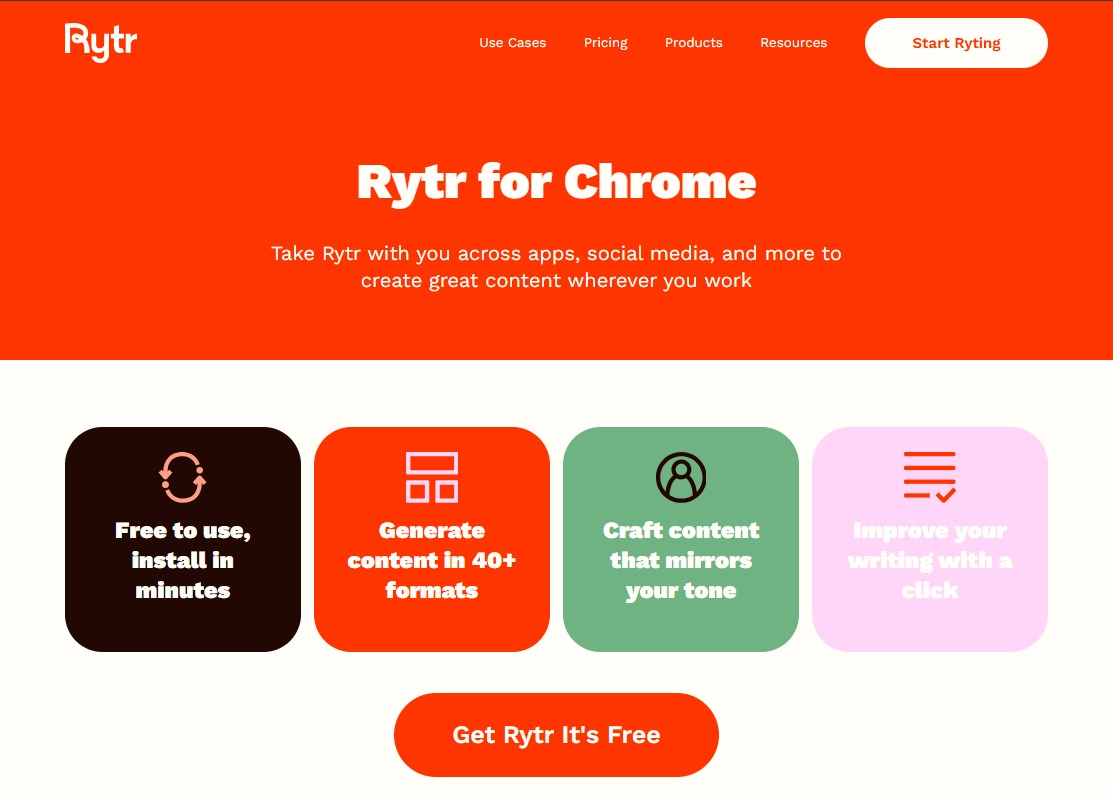
Rytr also integrates with common workflows: a Chrome extension lets you generate copy inside browser editors, and the long form assistant helps bridge short-to-mid length tasks when you need more context. For deeper practical tests, read this Rytr AI Tool review and hands-on guide to see examples and outputs. When speed, repeatability, and low cost matter more than a polished, final draft straight out of the editor, Rytr becomes the pragmatic choice.
Step-by-step: using Rytr for fast drafts and repeatable results
- Pick the right template. Start by selecting a template that matches your goal—social captions, product descriptions, ad copy, blog intro. Templates aren’t just labels; they include length and structure assumptions that steer the model toward concise outcomes. For product pages, choose the product description template; for paid ads, choose the ad copy template.
- Build a reusable prompt blueprint. Create a short input format with 4 fields: product/feature summary, target audience, desired tone (e.g., playful, professional), and target CTA or outcome. Save that blueprint in a notes file or as a template within Rytr if you have a paid plan. Reusing the same structure dramatically reduces output variability.
- Adjust tone and language settings. Rytr templates let you toggle tone and language. For social media captions, select “playful” or “snappy”; for technical product copy, use “professional” or “informative.” Small changes to tone often yield large differences in rhythm and word choice, which is useful when you need multiple distinct variants for A/B testing.
- Generate multiple variants. Instead of asking for one result, request 3–5 variations at once. Rytr’s batch output is perfect for producing quick ad variants or a set of 10 product descriptions that you can refine into a final set. When a draft is too similar to another, tweak one element in the prompt—swap the CTA, change the audience adjective, or change the desired length—and regenerate.
- Use the Chrome extension for in-context editing. The Rytr Chrome extension lets you generate copy without leaving your CMS, Shopify product page, or social scheduler. Highlight or paste a short brief into the extension, pick a template, and insert a draft directly where you need it.
- Layer human editing. Treat Rytr outputs as first drafts. Human review should focus on brand tone, factual accuracy, and conversion cues (price, shipping info, guarantees). For e-commerce, add SKU-specific details and buyer-focused benefits that AI might omit.
- Scale with saved inputs and team workflows. For teams, keep a shared prompt library or a spreadsheet with saved blueprints. This standardizes outputs and reduces quality swings across writers and campaigns. If you’re testing Rytr against competitors (Rytr vs Jasper or Rytr vs Copy AI for ads), measure time-to-first-draft, cost-per-variant, and engagement metrics to track ROI.
- Iterate and test. Use the drafts to run real-world A/B tests. For social captions, test tone and CTA; for product pages, test headline variants and feature emphasis. Use performance data to refine prompt blueprints, and repeat.
For bloggers and content creators exploring Rytr alternatives for bloggers, this stepwise approach—template selection, prompt blueprints, multi-variant generation, and human polish—keeps drafts reliable and repeatable. If you want to compare tools or browse similar options, check a comprehensive AI tools directory for feature-by-feature comparisons.
Benefits and expected ROI
Speed is the most immediate gain. Teams that adopt Rytr for short-form tasks typically cut first-draft time from hours to minutes. That frees creative capacity for strategy, testing, and higher-value writing tasks. For founders and small marketing teams, time savings translate directly to more experiments per week—more ad variations, more product listings, more social posts.
Cost efficiency is equally tangible. Instead of commissioning multiple small copy tasks to freelancers, Rytr lets you generate dozens of usable drafts under one subscription or on a pay-as-you-go plan. That lowers marginal cost per caption or description and is one reason Rytr’s startup plan appeals to lean teams focused on rapid growth.
Consistency and scale reduce friction. Reusable prompt blueprints and template-driven outputs help hold tone steady across platforms—so your Instagram, product pages, and ad copy sound coherent. For brands, that consistency improves recognition and can lift engagement metrics across channels.
Measurable ROI comes from faster launch times and higher testing velocity. By generating more variants at lower cost, you increase the chances of finding a top-performing headline or caption. For e-commerce sellers who wonder how to write product descriptions with Rytr, the ROI is straightforward: more listings live, more A/B tests run, and better optimization cycles. Ready to try it? Get started with Rytr through this special signup and see whether Rytr fits your workflow, then read the in-depth Rytr AI Tool review and hands-on guide to learn advanced tips. What is Rytr doing for your content pipeline today?
Practical use cases, limits, and smart workflows
Rytr shines when you focus it on repeatable, short-to-mid form tasks. Typical use cases include:
- E-commerce: batch product descriptions, bullet benefits, and micro-copy for variants.
- Social media: caption banks, hashtag suggestions, and quick repurposes for different channels.
- Ads: multiple headline and description variants for A/B testing across platforms.
- Internal comms and briefs: concise summaries, email subject lines, and meeting notes.
Use the Rytr Chrome extension to speed in-context edits on Shopify, WordPress, or Google Docs. Pair the long form assistant with template-generated intros to bridge short-form efficiency and longer content needs. For step-by-step examples and real outputs, check the full Rytr review linked below.
Limits you should plan for
Rytr delivers speed and volume, not perfect final copy. Expect occasional quality swings and generic phrasing—especially with nuanced or highly technical topics. Always fact-check, add SKU- or policy-specific details, and adjust brand tone during human editing. For heavy SEO-driven long-form content or enterprise-level workflows, tools like Jasper might offer more advanced controls, though at a higher cost.
Pricing, plans, and the startup plan
Rytr pricing is built around affordability and predictable usage. The startup plan is a popular mid-tier option that gives teams more monthly characters and shared access at a fraction of freelance costs. If you’re evaluating budget vs. volume, measure cost-per-variant and time-to-first-draft against your current freelance spend. For an updated breakdown and hands-on pricing tests, see our Rytr AI Tool review.
How to pick Rytr vs competitors
When comparing Rytr vs Jasper or Rytr vs Copy AI for ads, match features to outcomes:
- Need dozens of short ad/caption variants quickly? Rytr is usually faster and cheaper.
- Need long-form, SEO-first blog posts or multi-step workflows? Jasper or other long-form-focused tools may be stronger.
- Want browser-based convenience and speed? Rytr’s Chrome extension wins for in-editor drafting.
Workflows that reduce quality swings
- Standardize prompts into a shared prompt library.
- Generate 3–5 variants, then edit only the best two—this cuts revision time.
- Use performance data (CTR, conversion rate) to refine prompt blueprints.
- Keep a living tone guide to preserve brand voice across Rytr templates.


