

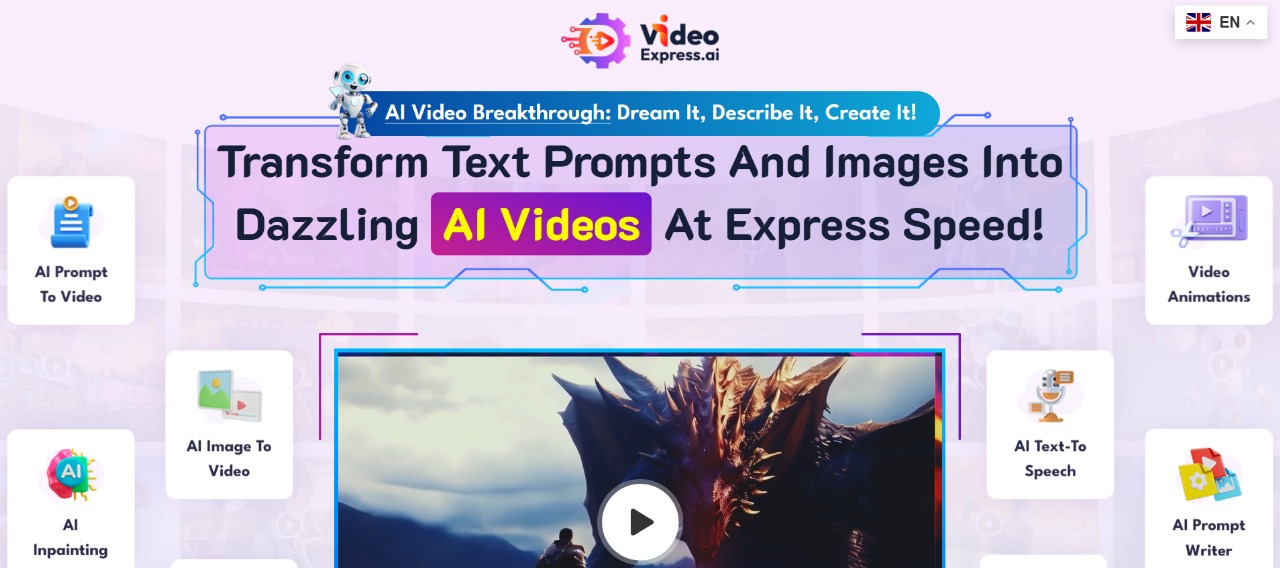
What is VideoExpress — The AI video editor that fixes complex editing, auto captions, and TikTok-ready templates
Estimated reading time: 10 minutes
Key Takeaways:
- VideoExpress simplifies video editing with AI-driven tools.
- Automates tasks like auto captions and text-to-video conversion.
- Offers a variety of templates optimized for platforms like TikTok and Reels.
- Enhances productivity by reducing manual editing time.
- Provides consistent branding and high-quality exports.
Table of Contents:
Quick Overview
What is VideoExpress — The Editing Bottleneck Creators Hit
Common Problems That Push Creators to Try VideoExpress
Why This Costs You Time and Audience
Meet VideoExpress: The Practical Fix for Slow, Fiddly Editing
Step-by-Step Workflow: Turning Footage and Text into Platform-Ready Clips
Real-World Workflows and Team Use Cases
Conclusion
Frequently Asked Questions
Quick Overview
VideoExpress is an AI video editor designed to turn messy footage into platform-ready clips fast. It bundles auto captions, text-to-video tools, and a library of video templates and effects so you don’t spend hours on basic tasks.
Think of VideoExpress as a shortcut from idea to post: use templates for TikTok/Reels, let the AI generate subtitles step by step, and export with presets tuned for social platforms. If you’ve searched “how to edit videos with VideoExpress” or “VideoExpress text to video tutorial,” this guide will explain why creators switch from manual workflows or other apps like CapCut.
What is VideoExpress — The Editing Bottleneck Creators Hit
Creators often ask “What is VideoExpress?” after hitting the same roadblocks: editing feels complex, captions are manual, and exporting for TikTok or Reels requires guesswork. Imagine spending an hour syncing subtitles and trimming a 30‑second clip — that’s time you could spend scripting the next viral idea. VideoExpress promises to automate those steps: AI transcription for auto captions, one-click text-to-video generation, and smart video templates that match vertical formats.
Beyond speed, the problem is consistency. Without templates or reusable transitions and effects, every video looks different and underperforms. You’ve probably compared “VideoExpress vs CapCut” or “VideoExpress vs CapCut vs VEED” trying to find the fastest way to get consistent short-form content. VideoExpress focuses on reducing friction: prebuilt effects, export profiles, and stock assets to fill gaps. Keep reading to see the specific problems it solves and why those fixes matter for reach and engagement.
Common Problems That Push Creators to Try VideoExpress
Most creators face three recurring issues: complexity, slow subtitling, and poor optimization for social platforms. First, complexity — professional editors can spend days learning interfaces and layered timelines. That learning curve kills momentum for small teams or solo creators who need daily posts. Second, subtitling: auto captions are supposed to save time, but crude transcripts and manual correction eat into productivity. A “VideoExpress subtitles step by step” approach promises higher accuracy and styling that doesn’t break your layout.
Third, platform optimization. Creators juggling aspect ratios and export settings ask about “best VideoExpress settings for TikTok” because wrong export parameters ruin quality and reach. Add the lack of stock/media assets — and you’ve got gaps where creators either pay for new footage or recycle low-quality clips. These pain points explain why many search “VideoExpress pricing” before committing: they want speed without swapping one expensive workflow for another. In the next section I’ll explain why these problems cost more than time and how fixing them impacts growth.
Why This Costs You Time and Audience
When editing is slow, ideas get stale. That delay means missed trends, fewer uploads, and shrinking engagement. Manual subtitling and fiddly export settings multiply into hours per week lost — imagine 6–10 hours a week fixing captions and export files instead of creating new content.
The consequence is practical: fewer posts, inconsistent branding, and lower reach on TikTok/Reels. Brands and creators lose momentum and potential revenue when every clip takes too long to finalize. Keep scrolling — next we’ll dig into how VideoExpress addresses each issue with concrete features and workflows.
Meet VideoExpress: The Practical Fix for Slow, Fiddly Editing
VideoExpress is the AI video editor built to remove the repetitive parts of editing so creators can move from idea to publish in minutes, not hours. Instead of wrestling timelines and manual subtitling, VideoExpress offers automated transcription with styled auto captions, one-click text-to-video conversion, and a library of vertical-ready video templates and transitions that match TikTok/Reels trends.
At its core, VideoExpress addresses the pain points most creators search for: speeding up editing, fixing subtitle workflow, and delivering platform-optimized exports. The editor bundles stock media and effects so you’re not hunting for filler clips, and export presets remove guesswork about bitrate and aspect ratio.
The result is predictable: consistent branding across posts, fewer lost ideas, and faster turnaround for trend-driven content. For teams and solo creators who dread subtitling or configuring exports for mobile platforms, VideoExpress is the tool that automates those steps while keeping creative control. If you’re evaluating tools, pair this with a broader look at the full directory of AI tools to see where VideoExpress fits into a larger workflow.
Step-by-Step Workflow: Turning Footage and Text into Platform-Ready Clips
- Start with the right importImport your raw footage or paste your script for text-to-video. VideoExpress accepts common formats and can pull audio or clips from cloud sources. If you’re experimenting with text-to-video, paste short prompts or a script and let the AI generate a base timeline — ideal for social-first content when you don’t have B-roll.
- Pick a template and aspect ratioChoose a video template tuned to your platform — vertical templates for TikTok/Reels, square for Instagram feed, or landscape for YouTube. Templates include prebuilt transitions, lower-thirds, and pacing that match short-form attention spans. This is where VideoExpress’s video templates save time: instead of building sequences from scratch you apply a consistent style instantly.
- Auto captions and subtitle polishing, step by stepRun the auto-caption tool to generate transcripts. The editor aligns captions to the waveform and applies readable fonts and sizes that won’t overlap UI elements. Use the subtitle editor to make quick corrections, adjust timing, and style captions (backgrounds, rounded corners, emphasis). For a “VideoExpress subtitles step by step” workflow: generate → review transcript → batch-correct common words → style and lock to safe areas.
- Trim, smart cut, and match pacingUse the smart cut feature to remove pauses and tighten pacing. The AI suggests cut points based on speech and action so your clip keeps momentum without manual razor edits. Add automated jump cuts or smoother dissolves from the VideoExpress transitions library to maintain visual variety without extra fiddling.
- Effects, overlays, and stock assetsDrop effects and overlays from the built-in library. VideoExpress effects include color looks, light leaks, and kinetic text animations that pair with templates. If you need B-roll, search the stock media panel and replace filler clips instantly — solving the common lack-of-assets problem creators face.
- Export presets and platform optimization Choose an export preset for TikTok, YouTube Shorts, or Instagram Reels. The presets set resolution (typically 1080×1920 for vertical), codec (H.264), and appropriate bitrate for fast uploads. For best VideoExpress settings for TikTok, select the vertical template, pick 1080×1920, and enable the high-quality export preset to preserve sharp text and captions. If you want a side-by-side feature comparison with other editors like CapCut, check official CapCut resources for feature parity and workflow differences.
- Keep versions and reuse templatesSave your template version so each episode or clip starts with the same branding. That consistency is the fastest path to recognizable content and makes batch editing future uploads trivial.
Advanced Tips and Considerations
- Use keyboard shortcuts and batch actions for bulk caption fixes.
- When using text-to-video, split longer scripts into multiple scenes for better pacing.
- Review audio levels and apply the built-in normalize preset before exporting to avoid clipping on mobile devices.
This step-by-step flow answers the common search intent behind queries like “how to edit videos with VideoExpress” and “VideoExpress text to video tutorial” by showing the practical sequence most creators follow. If you want a hands-on walkthrough of pricing tiers and real-world comparisons like VideoExpress pricing or VideoExpress vs CapCut vs VEED, my in-depth VideoExpress AI Tool review covers costs, limits, and which tier fits which user. For more tools that complement this workflow, consult a comprehensive AI tools directory to build a scalable pipeline.
Real-World Workflows and Team Use Cases
Video teams and solo creators use VideoExpress in slightly different ways, but the common theme is speed without losing control. Small teams set up shared templates and brand kits so every editor works from the same baseline. That eliminates back-and-forth on fonts, colors, and caption styles and lets junior editors produce polished clips quickly.
Solo creators lean on the AI features — auto captions, smart cut, and text to video — to turn a single recording or script into multiple vertical clips for Reels, TikTok, and YouTube Shorts. Pairing VideoExpress with an asset library from its stock media panel avoids the constant scramble for B-roll and helps maintain a consistent aesthetic.
If you want a deeper technical comparison or pricing breakdown, check my detailed VideoExpress review for feature limits and tier recommendations, or browse a broader list of complementary tools in the AI tools directory.
Conclusion
VideoExpress is designed for creators who want to stop fighting their editor and start making content. It solves the pain points most people search for: confusing timelines, manual subtitling, and uncertainty about export settings for mobile platforms. The editor’s autosync captions and subtitle styling drastically reduce time spent on transcription, while text-to-video and ready-made video templates accelerate ideation and production. Built-in stock assets and an effects library mean you won’t stall looking for filler B-roll, and the export presets take the guesswork out of TikTok/Reels sizing and bitrate.
For creators comparing options (VideoExpress vs CapCut or VideoExpress vs CapCut vs VEED), VideoExpress stands out for its balance of automation and editable controls: the AI handles repetitive work, but you can still tweak cuts, captions, and effects. Pricing tiers cater to hobbyists and teams, with higher plans unlocking longer exports, cloud rendering, and priority support. Whether you’re learning how to edit videos with VideoExpress or optimizing settings for rapid uploads, this tool streamlines the workflow so you can publish more consistently and with better polish.


