Copilot for Power BI Review: Unlocking Smarter Data Analysis with AI
In this Copilot for Power BI review, we’ll dive into how this AI assistant can transform your data analysis, report creation, and decision-making processes.
Navigating complex datasets and crafting insightful reports can often feel like a Herculean task, even for seasoned professionals. That’s where an intelligent assistant can make all the difference. In this Copilot for Power BI review, we explore how Microsoft’s generative AI solution aims to simplify and accelerate your journey from raw data to actionable insights. If you’re looking to leverage the power of AI to work smarter, not harder, within your Power BI environment, you’re in the right place.
What Is This Tool?
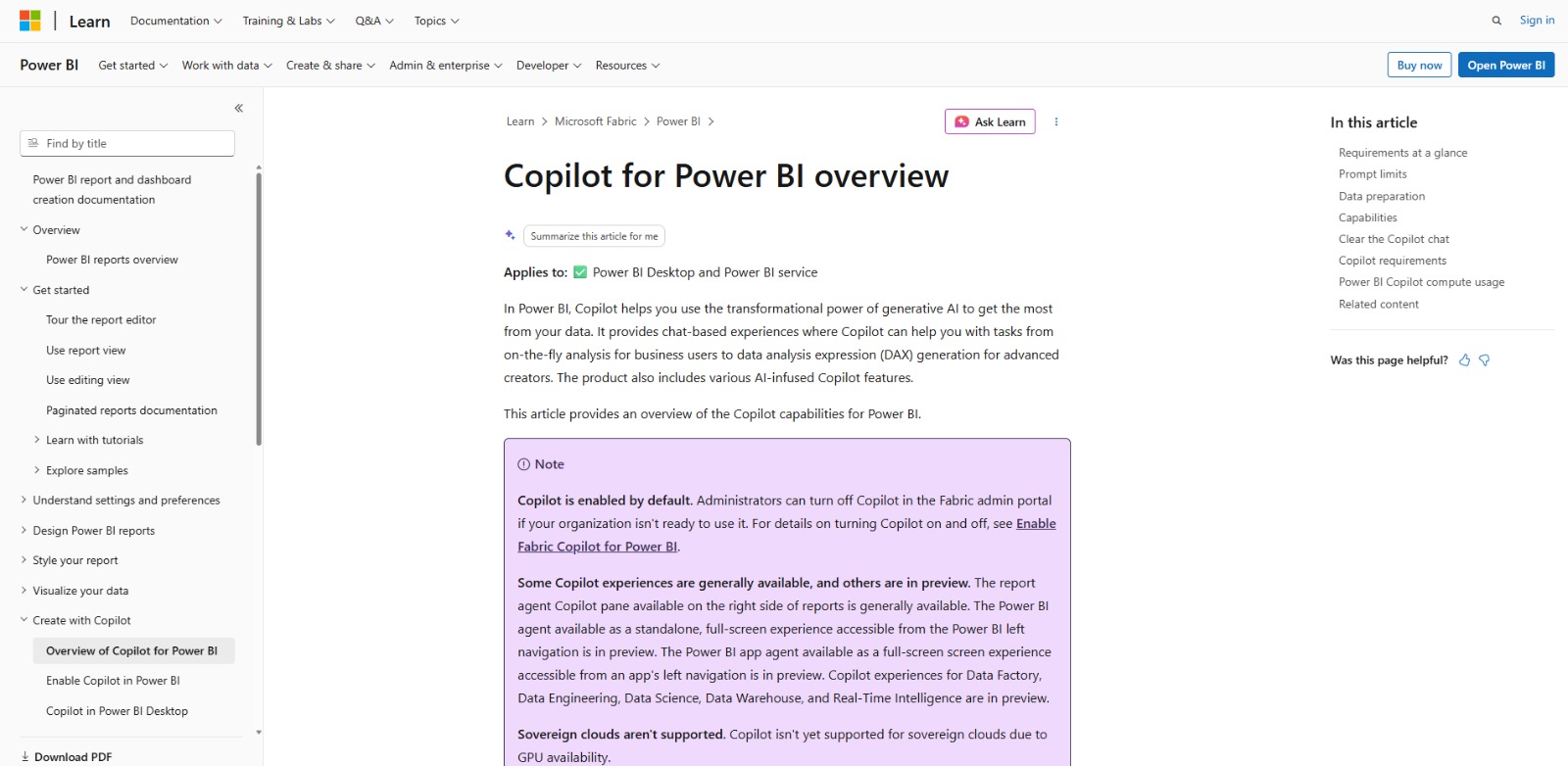
Copilot for Power BI is an AI-powered assistant designed to integrate seamlessly into the Microsoft Power BI ecosystem. It leverages generative AI to help users interact with their data using natural language, create reports, generate summaries, and even assist with complex data analysis tasks like DAX query generation. Essentially, this AI solution acts as your intelligent partner, making advanced data capabilities more accessible and efficient for a wide range of users.
Why Is This Tool Important?
In today’s fast-paced business world, the ability to extract timely and accurate insights from data is paramount. However, many professionals, from business analysts to executives, struggle with the sheer volume and complexity of data. They often find themselves spending hours on manual report creation, grappling with intricate formulas like DAX, or simply feeling overwhelmed by dashboards that don’t immediately answer their pressing questions. This difficulty in extracting insights, coupled with time-consuming report creation and a lack of advanced data analysis skills, creates a significant bottleneck in decision-making.
This is precisely where Copilot for Power BI steps in as a game-changer. It addresses these core pain points by democratizing data analysis. Imagine being able to simply ask your data a question in plain English and receive an instant, intelligent response, complete with relevant visuals or summaries. This AI assistant empowers users to overcome technical skill gaps and accelerate their data exploration, transforming what was once a laborious process into an intuitive conversation.
The strategic importance of this platform lies in its potential to foster a data-driven culture across an organization. By making data more approachable and analysis more efficient, it enables faster ad-hoc analysis and reduces the turnaround time for critical insights. For businesses striving to stay competitive, leveraging such AI capabilities means quicker adaptation, more informed strategies, and ultimately, a significant boost in productivity and decision-making agility.
Top Features of This Tool
Copilot for Power BI is packed with features designed to streamline your data workflow and unlock deeper insights. Here’s a look at some of its most impactful capabilities:
Natural Language Interaction
At its core, this AI assistant allows you to “chat with your data.” You can ask questions in plain English, and the platform will interpret your queries to generate relevant visuals, summaries, or even suggest further lines of inquiry. This significantly lowers the barrier to entry for data exploration, making it accessible to users without deep technical knowledge.
AI-Assisted Report Creation and Editing
Creating compelling Power BI reports can be time-consuming. Copilot for Power BI can assist by generating entire report pages based on your prompts, suggesting layouts, and even helping you refine existing visuals. This feature dramatically speeds up the report development cycle, allowing you to focus on the narrative rather than the mechanics.
Automated Data Summarization and Insight Generation
The tool can automatically summarize key findings and trends within your datasets, providing narrative overviews that explain complex data in an understandable way. This is invaluable for quickly grasping the essence of your data and communicating insights to stakeholders without extensive manual analysis.
DAX Query Generation and Explanation
DAX (Data Analysis Expressions) can be a steep learning curve for many Power BI users. This AI solution can help generate complex DAX queries based on your natural language descriptions, and even explain existing DAX formulas, making advanced calculations more manageable and understandable.
AI-Infused Visuals and Suggestions
Beyond generating reports, the assistant can suggest optimal visualizations for your data, identify key influencers, detect anomalies, and even help with forecasting. These AI-driven suggestions enhance the depth and quality of your analysis, ensuring you’re using the most effective ways to present your data.
Key Benefits
- Accelerated Insight Generation: Get answers to your data questions faster, transforming raw data into actionable intelligence in moments.
- Simplified Report Creation: Drastically reduce the time and effort required to build and refine Power BI reports and dashboards.
- Enhanced Data Accessibility: Empower non-technical users to interact with and understand complex data through natural language queries.
- Improved Data Storytelling: Leverage AI-generated narratives and summaries to communicate data findings more effectively and persuasively.
- Bridged Skill Gaps: Receive assistance with advanced analytical tasks, such as DAX formula creation, making sophisticated analysis more attainable.
Pros
- Deep integration with the Power BI ecosystem, ensuring a seamless user experience.
- Significantly reduces the learning curve for complex data analysis and report building.
- Empowers a broader range of users to derive insights from data, fostering data literacy.
- Backed by Microsoft’s robust infrastructure, promising reliability and ongoing development.
Cons
- Requires specific Power BI Premium or Fabric capacity, which may not be available to all users or organizations.
- As with any generative AI, the quality and accuracy of outputs can depend on the clarity of prompts and the underlying data quality, requiring user verification.
Who Should Use It?
Business Analysts
- To quickly explore data and identify trends without needing to write complex queries.
- For rapid prototyping of reports and dashboards to meet urgent business demands.
- To generate clear, concise summaries of data for presentations to stakeholders.
Data Analysts & BI Developers
- To accelerate the creation of initial report drafts and visuals.
- For assistance with generating or understanding complex DAX expressions.
- To streamline repetitive data preparation and analysis tasks, freeing up time for deeper insights.
Report Authors
- To get AI-driven suggestions for report layouts, visual types, and data storytelling.
- For efficient editing and refinement of existing reports using natural language commands.
- To ensure consistency and best practices in report design across multiple projects.
Business Intelligence Managers
- To empower their teams with advanced analytical capabilities, even those with less technical expertise.
- To drive faster decision-making across the organization by improving access to insights.
- To optimize resource allocation by reducing the manual effort in report generation.
Executives & Decision-Makers
- To get instant answers to specific business questions by chatting with their data.
- For quick, high-level summaries of complex reports, enabling faster strategic decisions.
- To explore “what-if” scenarios and understand key drivers without relying solely on IT or data teams.
❤️ Also loved by: Financial Analysts, Marketing Analysts, Sales Operations Managers, Operations Managers, Product Managers, Data Scientists, Power BI Administrators, Data Modelers, IT Professionals, Consultants, Researchers, Educators, Students, Small Business Owners, Entrepreneurs.
Best AI Categories
Copilot for Power BI fits into these categories. Explore each page for alternatives and related tools.
Best Alternatives
If Copilot for Power BI is not a perfect fit, these alternative AI tools may cover different budgets, features, and use cases in AI DATA. Compare strengths, positioning, and why each tool might be a better fit for a specific workflow.
- Tableau (with Tableau AI): A leading competitor in business intelligence, Tableau offers its own suite of AI-powered features for data preparation, analysis, and visualization, often preferred by users seeking highly interactive and visually driven dashboards.
- Qlik Sense (with Cognitive Engine): Known for its associative engine, Qlik Sense provides AI-driven insights and natural language interaction to help users discover hidden connections in their data, appealing to those who prioritize data discovery and exploration.
- ThoughtSpot: This platform specializes in AI-driven analytics and natural language search, allowing users to ask questions in plain English and get instant answers from their data, making it a strong alternative for organizations focused on self-service analytics.
- Google Looker (with Looker ML): Part of the Google Cloud ecosystem, Looker combines data exploration, analytics, and machine learning capabilities, offering a robust solution for businesses deeply integrated with Google’s cloud services.
Pricing & Plans: Costs, Features & Value
While specific pricing for Copilot for Power BI features can vary and often depends on your existing Microsoft licensing, it generally requires a Power BI Premium capacity or Microsoft Fabric capacity. This means it’s typically integrated into broader enterprise-level subscriptions rather than being a standalone purchase. The value proposition lies in the significant time savings, enhanced analytical capabilities, and improved data accessibility it brings to organizations already invested in the Microsoft ecosystem.
It’s important to remember that pricing, available plans, and specific feature access may evolve as Microsoft continues to develop and integrate its AI offerings. Therefore, users should always check the official Microsoft Power BI website for the most current and detailed information before making any purchasing decisions.
Ready to Transform Your Data Workflow?
Imagine a world where complex data analysis is no longer a bottleneck, and insightful reports practically write themselves. Copilot for Power BI offers a glimpse into that future, empowering you to unlock deeper understanding from your data with unprecedented speed and ease. If you’re tired of manual data wrangling and eager to harness the power of generative AI to elevate your business intelligence, this assistant could be the productivity boost you’ve been searching for.
If Copilot for Power BI aligns with your goals for smarter data analysis and report generation, it’s definitely worth exploring further. Dive into its capabilities and see how it can streamline your workflow and accelerate your path to data-driven success.
Visit Copilot for Power BI
CharlieAITools was created with love to help you discover the best AI tools and transform your life, your ideas, and your projects. By signing up through my affiliate link, you help me keep this site running and continue to share valuable resources with fellow entrepreneurs. Thanks a ton for your support! 💛