Webydo Review: The AI Website Builder That Finally Lets Agencies Scale
Webydo Review: Is This AI Tool the Key to Doubling Your Agency’s Output?
Imagine an AI tool that eliminates the dreaded “blank canvas” grind, builds a client-ready website draft in minutes, and handles the tedious setup so you can focus on high-value creative work. Sounds like a dream for a busy freelancer or agency owner, right? Enter Webydo, the revolutionary platform that combines an AI website generator with a professional-grade, no-code editor. This isn’t just another DIY builder; it’s a business scalability tool designed for professionals. In this comprehensive Webydo Review, we’ll explore how this platform is redefining the web design workflow and whether it’s the missing piece in your digital toolkit.
What Is Webydo?
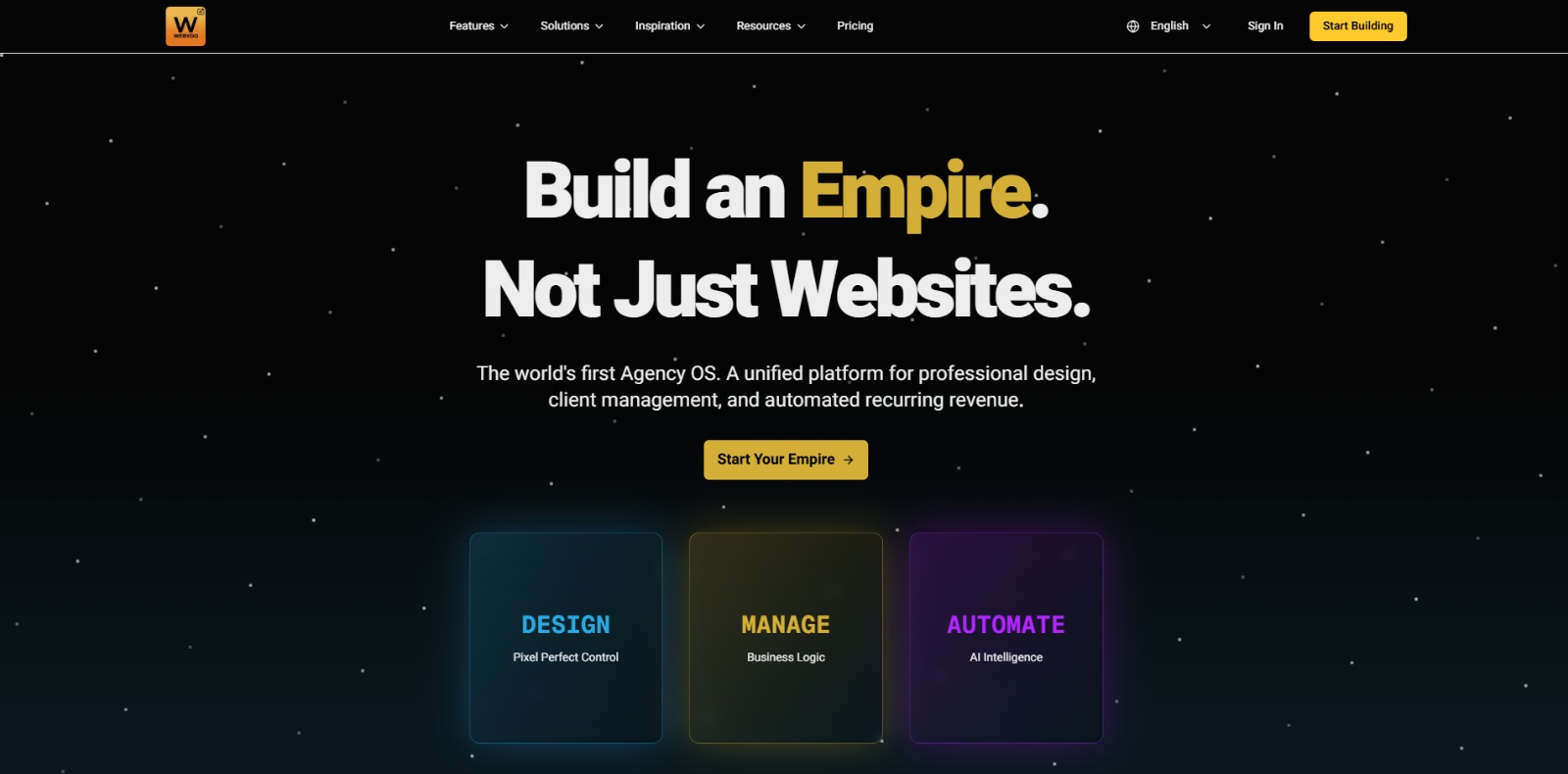
Webydo is an AI-powered, no-code website builder created specifically for web design freelancers and digital agencies. It streamlines the entire web creation process by allowing users to generate a complete, content-populated website from a single text prompt. This initial AI draft can then be refined to perfection using a powerful visual, drag-and-drop editor, giving designers full creative control without writing a single line of code.
Why is Webydo Important?
Webydo is important because it directly addresses the biggest bottlenecks for creative professionals: time and scalability. For years, agencies and freelancers have been trapped in a model where income is directly tied to hours worked. Webydo shatters this ceiling by automating the most time-consuming, low-value parts of a project—the initial structure, wireframing, and placeholder content creation. This frees up designers to focus on what clients truly pay for: strategy, unique branding, and a polished user experience. By turning a week of setup into a few minutes of generation, it fundamentally changes project economics, making smaller projects more profitable and allowing a single designer to manage multiple builds simultaneously.
Furthermore, it solves the critical pain point of client collaboration and handoff. One of the biggest fears for designers is a client breaking the layout while trying to update text in the CMS. The Webydo CMS is built with this in mind, providing a safe, intuitive environment for clients to manage content without compromising the pixel-perfect design. For agencies looking to grow, Webydo acts as a virtual employee, handling the grunt work and enabling them to offer competitive services like a white-label website builder solution. This shift from technician to creative director is not just an efficiency gain; it’s a strategic move to future-proof their business in an increasingly competitive market.
Top Features of Webydo for Agencies & Freelancers
Webydo is packed with professional-grade tools designed to accelerate your workflow and boost profitability. Let’s break down the core features that make it a standout no-code website builder for designers.
1. AI-Powered Website Generator
This is Webydo’s hero feature. Instead of starting from a blank screen or a restrictive template, you simply input a prompt describing the client’s business. The AI instantly generates a complete, multi-page website draft, including logical structure, industry-relevant copy, and commercially licensed images. It’s the ultimate cure for creative block and slashes initial build time by up to 90%.
2. Pixel-Perfect Visual Editor
Once the AI draft is ready, you get full control with a sophisticated drag-and-drop editor. Unlike basic builders, Webydo allows for precise, layer-based editing and absolute positioning, ensuring you can achieve pixel-perfect web design. You can manipulate every element, fine-tune spacing, and create complex layouts without code, all while maintaining full responsive design control across different breakpoints.
3. Integrated Client CMS and Billing
The Webydo CMS is a game-changer for client handoffs. It provides your clients with a simple, branded portal to update text, images, and blog posts without any risk of breaking the site’s design. This solves the classic problem of post-launch support nightmares. You can even set up recurring billing for hosting and maintenance directly through the platform, creating a new stream of passive income.
4. White-Label Solution for Agencies
Webydo allows you to present the entire platform as your own. You can brand the client’s CMS login, the editor, and all communications with your agency’s logo and colors. This powerful white-label website builder feature enhances your brand’s professionalism and credibility, making it seem like you have a proprietary in-house platform.
5. All-in-One Secure Hosting & Management
Forget the headache of managing separate hosting accounts, security plugins, and SSL certificates. Webydo provides fast and secure hosting built on Google Cloud’s infrastructure. With features like a global CDN, automatic backups, and a free SSL certificate for every site, you can offer clients a robust, all-in-one solution and publish a website with one click on Webydo.
Key Benefits of Webydo
- Drastically Reduce Project Timelines: Go from client brief to a functional prototype in a single meeting, impressing clients and shortening sales cycles.
- Increase Profit Margins: By automating hours of manual work, you make fixed-price projects significantly more profitable and can take on more clients.
- Scale Your Business Without Scaling Headcount: Handle a larger volume of work without needing to hire more staff, breaking the traditional “time-for-money” agency model.
- Eliminate Technical Headaches: Consolidate your workflow into one platform that handles design, CMS, hosting, security, and client billing.
- Enhance Client Satisfaction: Deliver results faster and provide a safe, user-friendly CMS that empowers clients and reduces your support burden.
Pros of Using Webydo
- Unmatched Speed: The AI generator is incredibly fast, creating a solid foundation for any project in under a minute.
- Agency-Centric Features: Tools like the white-label CMS, client billing, and team collaboration are built specifically for professional workflows.
- True Design Freedom: The pixel-perfect visual editor offers more creative control than typical template-based builders.
- All-in-One Platform: Simplifies your tech stack by combining design, hosting, and client management into a single subscription.
Cons of Using Webydo
- Platform Lock-In: Because Webydo is an all-in-one solution, migrating a site away from its ecosystem to another host is not straightforward.
- Customization Ceiling: While powerful, it may not be suitable for extremely complex projects requiring custom code, database integrations, or unique backend functionality that platforms like WordPress or coded solutions can offer.
Webydo Use Cases: Who Should Use It?
Web Design Freelancers
- Quickly build professional websites for small to medium-sized businesses without touching code.
- Manage multiple clients efficiently from a single dashboard.
- Increase profitability by completing projects in a fraction of the time.
Digital Marketing Agencies
- Rapidly create high-converting landing pages for marketing campaigns.
- Offer web design as a profitable, scalable service alongside SEO and PPC management.
- Use the white-label feature to reinforce the agency’s brand and value proposition.
Creative Studios & Design Agencies
- Use the AI generator for rapid prototyping and presenting multiple design concepts to clients.
- Focus creative energy on high-level branding and UX, letting the AI handle the initial build.
- Streamline the design-to-development workflow into a single, efficient process.
Startups & Entrepreneurs
- Quickly build and launch a professional marketing site or MVP without hiring a developer.
- Iterate on designs and content quickly based on user feedback.
- Maintain and update the site easily through the intuitive CMS.
❤️ Also loved by: marketing teams, solo entrepreneurs, content creators, graphic designers transitioning to web, small business consultants, brand strategists, portfolio creators, non-profit organizations, event managers, restaurant owners, real estate agents, photographers, coaches, local service businesses, and e-commerce startups.
Best AI Categories for Webydo
Webydo fits into these categories. Explore each page for alternatives, and related tools.
Best Webydo Alternatives
If Webydo isn’t a perfect fit, these alternatives cover different budgets, features, and use cases in AI-powered and no-code website builders. Compare strengths, pricing, and why each might beat Webydo for your workflow.
- Webflow: A top choice for designers who want deep customization and interaction design capabilities, though it has a steeper learning curve and lacks an AI site generator.
- Wix Studio (formerly Editor X): A powerful, responsive builder from Wix aimed at professionals, offering advanced design features and a collaborative environment.
- Framer: A design-first platform that excels at creating interactive prototypes and websites directly from design files, popular with UI/UX designers.
- Squarespace: Known for its beautiful templates and ease of use, making it a great option for clients who prioritize aesthetics and simplicity over deep customization.
Webydo Pricing & Plans: Costs, Features & Value
Webydo structures its pricing around the needs of individual freelancers and growing agencies. Plans are typically billed per site, with options that bundle hosting, the client CMS, and support into a single monthly or annual fee. The core value lies in the “all-in-one” model. While per-site costs might seem comparable to buying hosting elsewhere, the Webydo pricing includes the professional design tool, the AI generator, the secure hosting, the client-proof CMS, and the white-label capabilities. When you factor in the immense time savings and the ability to bill clients for these premium features, the ROI becomes incredibly compelling. Agency plans often offer discounts for building multiple sites, making it a cost-effective solution as your business scales.
Ready to Break Your Agency’s Scalability Ceiling?
Stop letting the grind of starting from scratch dictate your agency’s revenue. Imagine reclaiming dozens of hours every month, taking on clients you used to turn away, and delivering stunning websites faster than your competition ever could. That’s not just a tool; it’s a new business model. Webydo is your AI partner, your silent developer, and your key to unlocking unprecedented growth. The only question is, what will you do with all the extra time and profit?
► Click Here to Try Webydo and Generate Your First AI-Powered Website for Free
CharlieAITools was created with love to help you discover the best AI tools and transform your life, your ideas, and your projects. By signing up through my affiliate link, you help me keep this site running and continue to share valuable resources with fellow entrepreneurs. Thanks a ton for your support! 💛