Key Takeaways:
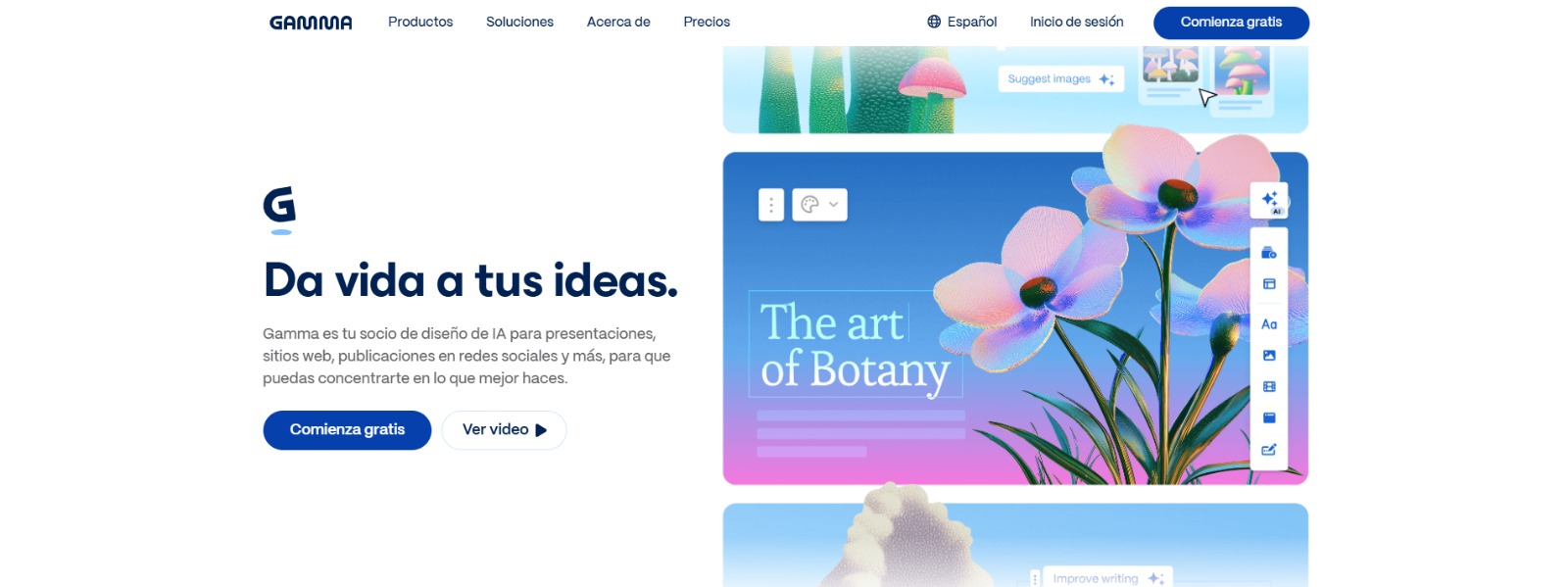
- Gamma AI presentation maker is an AI-powered platform that streamlines content creation, blending documents, presentations, and webpages.
- It addresses the pain point of the “blank page” syndrome, offering a structured starting point and AI-powered content generation.
- Limitations include free plan credit limits, usage caps, and limited deep branding/templates for strict brand teams.
- Gamma’s step-by-step guide includes signing up, crafting AI prompts, reviewing outlines, customizing content, and sharing presentations.
- Investing in Gamma unlocks productivity and creativity, enabling visually stunning presentations and significant cost savings.
What is Gamma and Why Should You Care?
In today’s fast-paced digital world, creating engaging and effective presentations, documents, and even websites can feel like a constant uphill battle. Traditional tools often require hours of tedious design work, leaving you with less time to focus on the core message. That’s where the Gamma app comes in. It’s an AI-powered platform designed to streamline content creation, offering a fresh approach to how we present information.
Gamma AI presentation maker isn’t just another presentation tool; it’s a unified medium that blends the lines between documents, presentations, and webpages. By leveraging the power of artificial intelligence, Gamma allows you to generate visually stunning and interactive content in a fraction of the time. Whether you’re crafting a sales pitch, building a course outline, or even designing a simple website, Gamma aims to make the process faster, more efficient, and dare we say, even enjoyable.
Stuck on Slide One? The Agony of the Blank Presentation
We’ve all been there. You have a critical presentation looming, the ideas are swirling in your head, but staring at that blank slide in PowerPoint feels like facing a brick wall. The cursor blinks mockingly, and the pressure mounts. Hours tick by as you struggle to structure your thoughts, choose a cohesive design, and populate the slides with engaging content. This “blank page” syndrome is a common pain point, and it can be incredibly demotivating.
This isn’t just a minor inconvenience; it’s a significant drain on productivity. The initial hurdle of getting started often leads to procrastination and rushed work. You might spend more time fiddling with layouts and fonts than actually refining your message. The result? A lackluster presentation that fails to capture your audience’s attention and ultimately undermines your efforts. Many professionals and educators seek deck generator tools to try to overcome this problem. The allure of an AI solution like Gamma is that it promises to banish the blank page, offering a structured starting point and AI-powered content generation to kickstart the creative process.
Beyond the Hype: Addressing the Limitations of Gamma App
While the Gamma app offers a compelling solution for content creation, it’s essential to acknowledge its limitations. The allure of AI shouldn’t blind us to the practical considerations that may impact your decision. Let’s delve into some key pain points that potential users should be aware of.
First, consider the free plan credit limits and usage caps. While a free plan is a great way to explore the platform, you may quickly find yourself limited by the number of AI-generated cards or the features available. This can be a frustrating barrier, especially if you have ongoing content creation needs. Another point to consider is the limited deep branding/templates for strict brand teams.
While Gamma offers a variety of templates, organizations with very specific brand guidelines might find the customization options insufficient. Enforcing consistent brand aesthetics can be challenging if Gamma’s built-in features don’t align perfectly with your existing style guide. While Gamma aims to be a versatile AI tool, these limitations might make it less suitable for certain users.
Why These Limitations Can Derail Your Content Creation Workflow
The limitations of Gamma, while perhaps seemingly minor on the surface, can actually have a significant impact on your overall productivity and even your brand image. Imagine relying on Gamma for a crucial sales presentation, only to discover that your free credits have run out just hours before the deadline. The resulting scramble to find an alternative or upgrade your plan under pressure can lead to unnecessary stress and potentially compromise the quality of your presentation.
Furthermore, the lack of deep branding options can dilute your brand’s visual identity. Inconsistent branding across your presentations and documents can erode trust and professionalism, particularly when dealing with clients or stakeholders who expect a cohesive brand experience. While Gamma offers a streamlined approach to content creation, it’s crucial to weigh these potential drawbacks against the benefits, ensuring that the platform aligns with your specific needs and priorities.
It’s also important to consider the potential learning curve associated with AI prompts and the card structure, as mastering these elements is key to fully unlocking Gamma’s capabilities. The cost of these limitations can include lost time, diluted branding, and even missed opportunities.
Gamma App: The AI-Powered Antidote to Presentation Procrastination
If you’re tired of wrestling with traditional presentation software and struggling to create visually appealing content, Gamma might be the solution you’ve been waiting for. What is Gamma? It is an innovative AI-driven platform that aims to revolutionize the way we create and share information. By automating many of the tedious design and formatting tasks, Gamma empowers you to focus on your core message and deliver compelling presentations with ease.
The core of Gamma’s appeal lies in its ability to generate high-quality content quickly. It uses AI to understand your topic and create a structured outline, complete with text, images, and even interactive elements. This means you can go from a blank page to a polished draft in a matter of minutes, saving you valuable time and energy. This is a game-changer for busy professionals, educators, and anyone who needs to create presentations, documents, or even a simple website generator quickly and efficiently. You can start creating awesome presentations with this Gamma AI presentation maker.
Unlocking Gamma’s Potential: A Step-by-Step Guide
Ready to dive in and experience the power of Gamma? Here’s a breakdown of how to use this AI-powered platform to create stunning presentations and documents:
1. Sign Up and Choose Your Path
First, head over to the Gamma app website and sign up for an account. You can start with the free plan to explore the platform’s features and get a feel for its capabilities. Once you’re logged in, you’ll be presented with a few options to begin your content creation journey. You can choose to “Generate” a new presentation from scratch using AI, “Transform” an existing document into a Gamma presentation, or start with a pre-designed “Template”. For this guide, let’s focus on the “Generate” option, as it showcases Gamma’s AI prowess.
2. Craft Your AI Prompt
This is where the magic happens. To harness the power of Gamma’s AI, you need to provide a clear and concise prompt that describes the topic of your presentation or document. The better your prompt, the better the generated content will be.
For example, instead of simply typing “marketing strategy,” try something more specific like “Develop a marketing strategy for a new sustainable coffee brand targeting Gen Z consumers.” Be as detailed as possible about the key points you want to cover, the target audience, and the overall tone you’re aiming for. If you’re looking for the best prompts for Gamma AI decks, experiment with different phrasing and keywords to see what yields the best results.
3. Review and Refine the AI-Generated Outline
Once you’ve entered your prompt, Gamma’s AI will generate a detailed outline for your presentation or document. This outline will typically include a title, a series of headings and subheadings, and even some initial content for each section. Take some time to review the outline and make any necessary adjustments. You can add, delete, or rearrange sections to better align with your vision.
This is your opportunity to shape the overall structure of your content before diving into the details. If the generated outline isn’t quite what you were hoping for, try tweaking your initial prompt and generating a new outline.
4. Customize the Content and Design
With your outline in place, it’s time to flesh out the content and customize the design of your presentation. Gamma’s card-based editor makes it easy to add text, images, videos, and other multimedia elements to each section. You can also use Gamma’s built-in design tools to change the font, colors, and layout of your presentation.
Explore the different themes and styling options to create a visually appealing and engaging experience for your audience. Don’t forget to leverage Gamma’s interactive elements, such as GIFs, embeds, and forms, to make your presentation more dynamic and memorable. Also, remember to stay consistent with your brand themes!
5. Share and Present with Confidence
Once you’re happy with your Gamma presentation, it’s time to share it with the world. You can easily share a link to your presentation, embed it on your website, or even present it directly from the Gamma platform. Gamma also offers built-in analytics to track engagement and see how your audience is interacting with your content.
This data can be invaluable for improving your presentations and documents over time. If you want to work offline or prefer using traditional presentation software, you can also export Gamma decks to PowerPoint pptx. Remember that formatting fidelity may vary slightly depending on the complexity of your design.
Now that we’ve answered What Is Gamma, you can read our Gamma Review to decide if it fits your needs.
Unleash Your Content Creation Superpowers: The ROI of Gamma
Investing in Gamma isn’t just about adopting a new tool; it’s about unlocking a new level of productivity and creativity. By automating many of the time-consuming tasks associated with content creation, Gamma frees you to focus on what matters most: your ideas and your message. The expected ROI extends far beyond simply saving time.
Imagine the impact of consistently delivering visually stunning and engaging presentations that captivate your audience and drive results. With Gamma, you can create professional-quality content without the need for expensive designers or specialized software. This translates to significant cost savings, faster turnaround times, and a more impactful brand presence. Whether you’re a corporate professional, a startup founder, or an educator, Gamma empowers you to communicate your ideas more effectively and achieve your goals with greater ease. If you’re considering Gamma Plus vs Pro pricing, weigh the features against your content creation needs to maximize your return.
The Verdict: Is Gamma the Right AI Presentation Tool for You?
In conclusion, the Gamma app presents a compelling proposition for anyone seeking to streamline their content creation process. Its AI-powered features, intuitive interface, and focus on visual appeal make it a strong contender in the crowded market of presentation and document tools. However, it’s crucial to weigh the limitations, such as credit limits and branding constraints, against your specific needs.
For individuals and small teams who prioritize speed, ease of use, and a modern aesthetic, Gamma offers a significant advantage. Larger organizations with strict brand guidelines may need to explore the customization options further or consider alternative solutions. Ultimately, the decision hinges on whether Gamma’s strengths align with your unique content creation challenges and goals. By understanding both its capabilities and limitations, you can make an informed choice and unlock the full potential of this innovative AI platform.
Ready to Reclaim Your Time and Create Stunning Content Effortlessly?
Imagine a world where you no longer dread creating presentations, documents, or even a website. A world where you can transform your ideas into visually stunning and engaging content in minutes, not hours. Gamma makes this vision a reality. It’s time to ditch the outdated tools and embrace the power of AI to unlock your creative potential and communicate your message with impact.
Stop wasting time on tedious design tasks and start focusing on what matters most: your ideas. Sign up for Gamma today and experience the future of content creation! Get started now with this Gamma AI presentation maker.
CharlieAITools was created with love to help you discover the best AI tools and transform your life, your ideas, and your projects. By signing up through my affiliate link, you help me keep this site running and continue to share valuable resources with fellow entrepreneurs. Thanks a ton for your support! 💛