Key Takeaways:
- LearnWorlds is a robust, all-in-one LMS platform ideal for creators who prioritize professionalism and scalability.
- The per-enrollment fee on the Starter plan can impact profitability, especially for large student bases.
- Unlocking advanced features like branded mobile apps requires upgrading to higher-tier plans.
- The platform’s extensive features come with a learning curve, requiring time investment.
- The LearnWorlds AI Assistant streamlines course creation, saving time and improving content quality.
What is LearnWorlds? The All-in-One Online Course Platform for Serious Creators
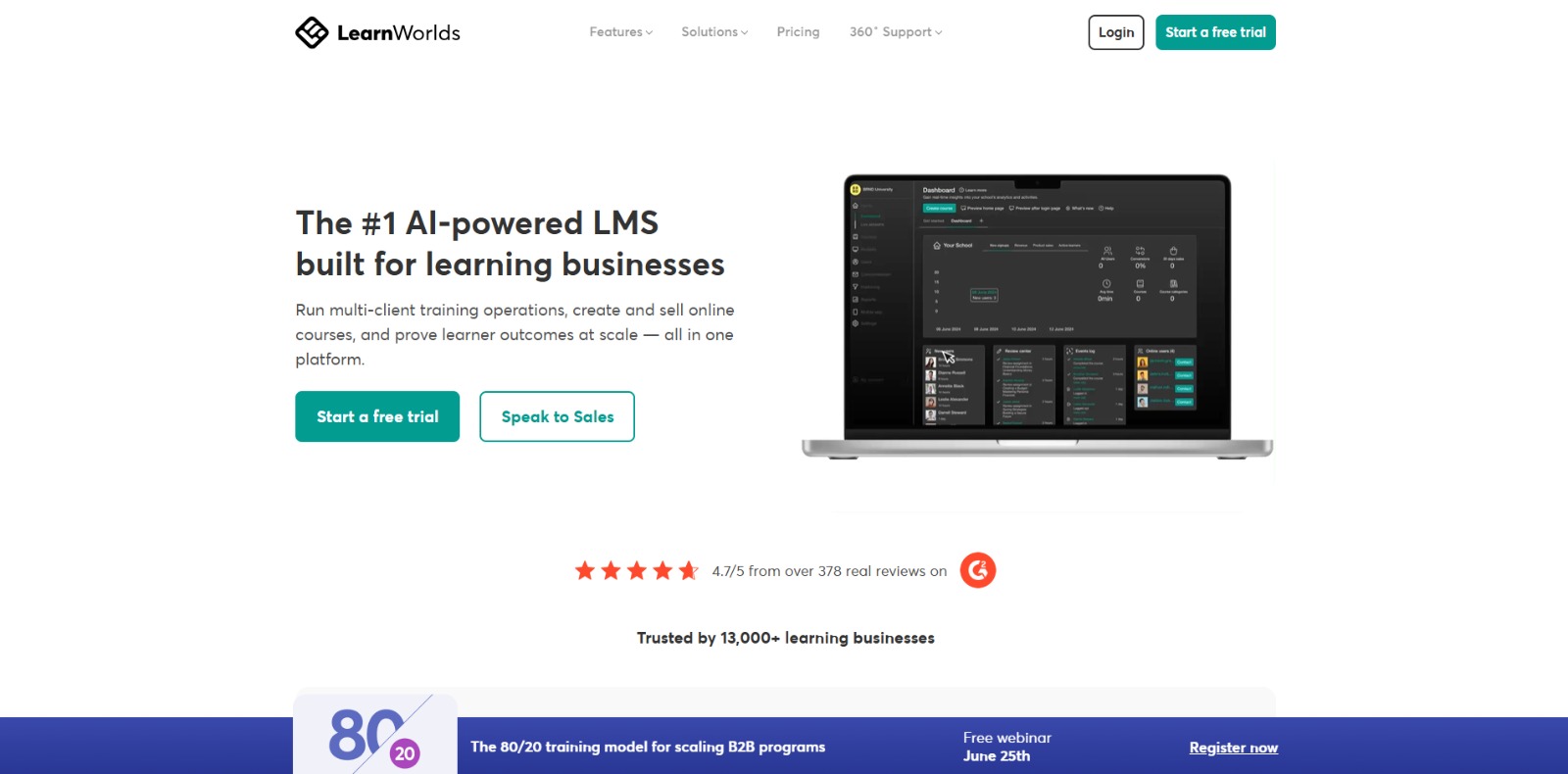
In today’s booming e-learning landscape, choosing the right online course platform can make or break your success. There are a lot of options out there, all promising to be the “best,” but how do you cut through the noise and find the perfect fit for your unique needs? Enter LearnWorlds LMS, a robust and feature-rich learning management system (LMS) designed for creators who demand professionalism, engagement, and scalability.
LearnWorlds isn’t just another platform for hosting videos; it’s a comprehensive solution that empowers you to build a fully branded, interactive, and immersive learning experience. From its powerful course builder and website design tools to its advanced assessment capabilities and built-in community features, LearnWorlds provides everything you need to create, market, and sell your online courses with confidence. But is it right for you? That’s what we’re here to explore.
Is LearnWorlds LMS Really Worth the Cost? The Hidden Enrollment Fee Hurdle
One of the first questions potential LearnWorlds users often ask is about LearnWorlds pricing. While the platform offers various plans to suit different needs and budgets, the $5 per-enrollment fee on the Starter plan can be a significant sticking point. At first glance, the Starter plan might seem appealing with its lower monthly cost, but that per-enrollment fee can quickly eat into your profits, especially if you’re aiming for a large student base. It’s a real consideration for course creators meticulously calculating their margins.
Imagine this: you’ve poured your heart and soul into creating an amazing online course, and you’re finally starting to see enrollments come in. But as your student numbers grow, so does that per-enrollment fee, effectively reducing your revenue per student. For those just starting out and testing the waters, it can feel like a significant barrier to entry. Is there a way to scale without that constant sting to your wallet?
Beyond the Starter Plan: Unlocking Advanced Features at a Premium with LearnWorlds
The per-enrollment fee isn’t the only LearnWorlds pricing consideration. While LearnWorlds excels in providing a comprehensive suite of tools, accessing its most powerful features often requires upgrading to higher-tier plans. Features like branded mobile learning apps, advanced integrations, and more robust marketing tools are typically reserved for the Pro Trainer or Learning Center plans, representing a significant jump in investment.
This tiered pricing structure can present a dilemma for course creators. Do you settle for the more basic features of the lower-tier plans and potentially limit your growth potential? Or do you invest in a higher-tier plan upfront, hoping that the advanced features will justify the increased cost and drive greater revenue in the long run? Understanding exactly which features are crucial for your success is paramount before committing.
The Steep Climb: Navigating the Learning Curve of LearnWorlds’ Extensive Options
LearnWorlds is undeniably powerful, but that power comes with a learning curve. With its vast array of features and customization options, mastering the platform can take time and effort. While some users appreciate the flexibility and control that LearnWorlds offers, others may find the sheer number of options overwhelming, especially if they’re new to online course creation.
Think of it like this: you’re given the keys to a high-performance sports car, but you’ve only ever driven a standard sedan. While the sports car has the potential to take you to new heights, you’ll need to invest time and effort in learning how to handle its power and features effectively. Similarly, with LearnWorlds, you’ll need to be prepared to invest time in exploring its various functionalities and mastering its interface. This might include watching tutorials, reading documentation, and experimenting with different settings. Is the enhanced feature set ultimately worth the upfront time investment?
AI to the Rescue: Streamlining Course Creation with the LearnWorlds AI Assistant
For those intimidated by the content creation process or simply looking to save time, the LearnWorlds AI assistant emerges as a game-changer. This powerful tool is designed to help you overcome the “blank page” problem and generate high-quality course content, assessments, and marketing copy with ease. It’s like having a dedicated instructional designer and copywriter at your fingertips, ready to assist you every step of the way. It directly addresses the pain point of time-poor experts who want to focus on their core knowledge, not the tedious aspects of content creation.
The LearnWorlds AI Assistant isn’t just a gimmick; it’s a practical tool that can significantly accelerate your course creation workflow. Whether you’re struggling to outline your course structure, write engaging lesson content, or create effective quizzes, the AI Assistant can provide valuable assistance and inspiration. By automating many of the time-consuming tasks involved in course creation, it frees you up to focus on what you do best: sharing your expertise and engaging with your students. Let’s explore how it simplifies the entire process, from initial concept to polished final product.
Unlocking Efficiency: A Step-by-Step Guide to Using the LearnWorlds AI Assistant
The LearnWorlds AI Assistant is surprisingly easy to use, even for those who aren’t tech-savvy. It’s seamlessly integrated into the LearnWorlds platform, making it accessible directly within your course creation workflow. Here’s a step-by-step guide to help you get started leveraging the power of AI in your online courses.
Step 1: Accessing the AI Assistant
To access the AI Assistant, simply navigate to the course builder within LearnWorlds LMS. Within the course builder, you’ll find the AI Assistant icon conveniently located in the toolbar. Clicking this icon will open the AI Assistant panel, where you can begin using its various features. The interface is clean and intuitive, ensuring a smooth user experience from the outset. Look for it in the toolbars where you create content and quizzes.
Step 2: Generating Course Outlines
One of the most valuable features of the AI Assistant is its ability to generate course outlines. If you’re struggling to structure your course or simply want some inspiration, this feature can be a lifesaver. Simply provide the AI Assistant with a brief description of your course topic and target audience, and it will generate a detailed course outline with suggested modules, lessons, and learning objectives. You can then customize the outline to fit your specific needs and preferences. This drastically cuts down the initial planning phase, letting you jump straight into content creation.
Step 3: Crafting Engaging Lesson Content
Once you have a course outline, the AI Assistant can help you generate engaging lesson content. Simply select a lesson within your outline and provide the AI Assistant with a few keywords or topics you want to cover. The AI Assistant will then generate a draft of the lesson content, which you can further refine and customize. This is particularly useful for overcoming writer’s block or for quickly creating a first draft that you can then polish and perfect. You can even specify the tone and style of the content, ensuring it aligns with your brand voice.
Step 4: Building Effective Assessments
Assessments are a crucial part of any online course, and the LearnWorlds AI Assistant can help you create effective quizzes and assignments. Simply provide the AI Assistant with the learning objectives you want to assess, and it will generate a variety of question types, including multiple-choice, true/false, and short answer questions. You can then customize the questions, add answer options, and provide feedback for correct and incorrect answers. By automating the assessment creation process, the AI Assistant helps you ensure that your students are truly mastering the material. The assessment builder is highly customizable, allowing for a variety of formats beyond standard quizzes.
Step 5: Polishing Marketing Copy
Beyond course content, the AI Assistant can even assist with marketing. Crafting compelling marketing copy is essential for attracting students to your online courses, and the AI Assistant can help you write persuasive descriptions, sales pages, and email campaigns. Simply provide the AI Assistant with information about your course’s benefits and target audience, and it will generate marketing copy that highlights the value proposition and encourages enrollments. This ensures that your marketing materials are as polished and professional as your course content. Remember to always review and tailor the AI-generated content to maintain your unique brand voice.
ROI Unleashed: The Tangible Benefits of Using the LearnWorlds AI Assistant
The LearnWorlds AI Assistant isn’t just about convenience; it’s about delivering a tangible return on investment (ROI). By streamlining course creation and content generation, it can significantly reduce the time and effort required to launch and maintain your online courses. This translates into increased productivity, lower costs, and faster revenue generation. For course creators looking to maximize their efficiency and profitability, the AI Assistant is a valuable asset.
Expect to see a significant boost in your course creation output. Instead of spending weeks or months developing a single course, you can potentially create multiple courses in the same timeframe. This allows you to expand your course catalog, reach a wider audience, and generate more revenue streams. Furthermore, the AI Assistant can help you create higher-quality course content, leading to increased student engagement, satisfaction, and completion rates. Don’t just take my word for it – explore a detailed LearnWorlds review from verified users. You may also want to read more information about other AI tools.
Final Verdict: Is LearnWorlds the Right Platform for Your Online Empire?
In conclusion, LearnWorlds presents a compelling proposition for course creators seeking a robust, scalable, and professional online course platform. While the platform does have its challenges, such as the learning curve and the pricing structure, its strengths far outweigh its weaknesses, especially when considering the power of the LearnWorlds AI Assistant. It stands out from the crowd with its interactive video LMS, advanced assessment features, and white-label LMS capabilities.
For established experts and businesses looking to build a premium, branded online academy, LearnWorlds offers the tools and features needed to create a truly immersive and engaging learning experience. The platform’s commitment to student engagement, combined with its powerful course creation and marketing tools, makes it a top contender in the online course platform space. So, if you are serious about creating and selling online courses, LearnWorlds is definitely worth considering. It answers the question of whether it’s worth it for course creators, especially those prioritizing long-term growth and brand control.
Ready to Unleash Your Inner Course Creation Genius?
Stop struggling with tedious content creation and start building the online education empire you’ve always dreamed of. Imagine effortlessly generating engaging course material, crafting killer assessments, and writing persuasive marketing copy—all with the help of a powerful AI co-pilot. It’s time to experience the future of online learning and unlock your full potential as a course creator.
Take the leap and transform your expertise into a thriving online business. Start your free LearnWorlds trial today and discover how the AI Assistant can revolutionize your course creation workflow!
LearnWorlds FAQs
Is LearnWorlds suitable for beginners with no technical skills?
Is LearnWorlds suitable for beginners with no technical skills?
How does LearnWorlds compare to other popular online course platforms like Teachable or Kajabi?
How does LearnWorlds compare to other popular online course platforms like Teachable or Kajabi?
Does LearnWorlds support SCORM and other industry-standard content formats?
Does LearnWorlds support SCORM and other industry-standard content formats?
What are the key benefits of using the LearnWorlds AI Assistant?
What are the key benefits of using the LearnWorlds AI Assistant?
CharlieAITools was created with love to help you discover the best AI tools and transform your life, your ideas, and your projects. By signing up through my affiliate link, you help me keep this site running and continue to share valuable resources with fellow entrepreneurs. Thanks a ton for your support! 💛