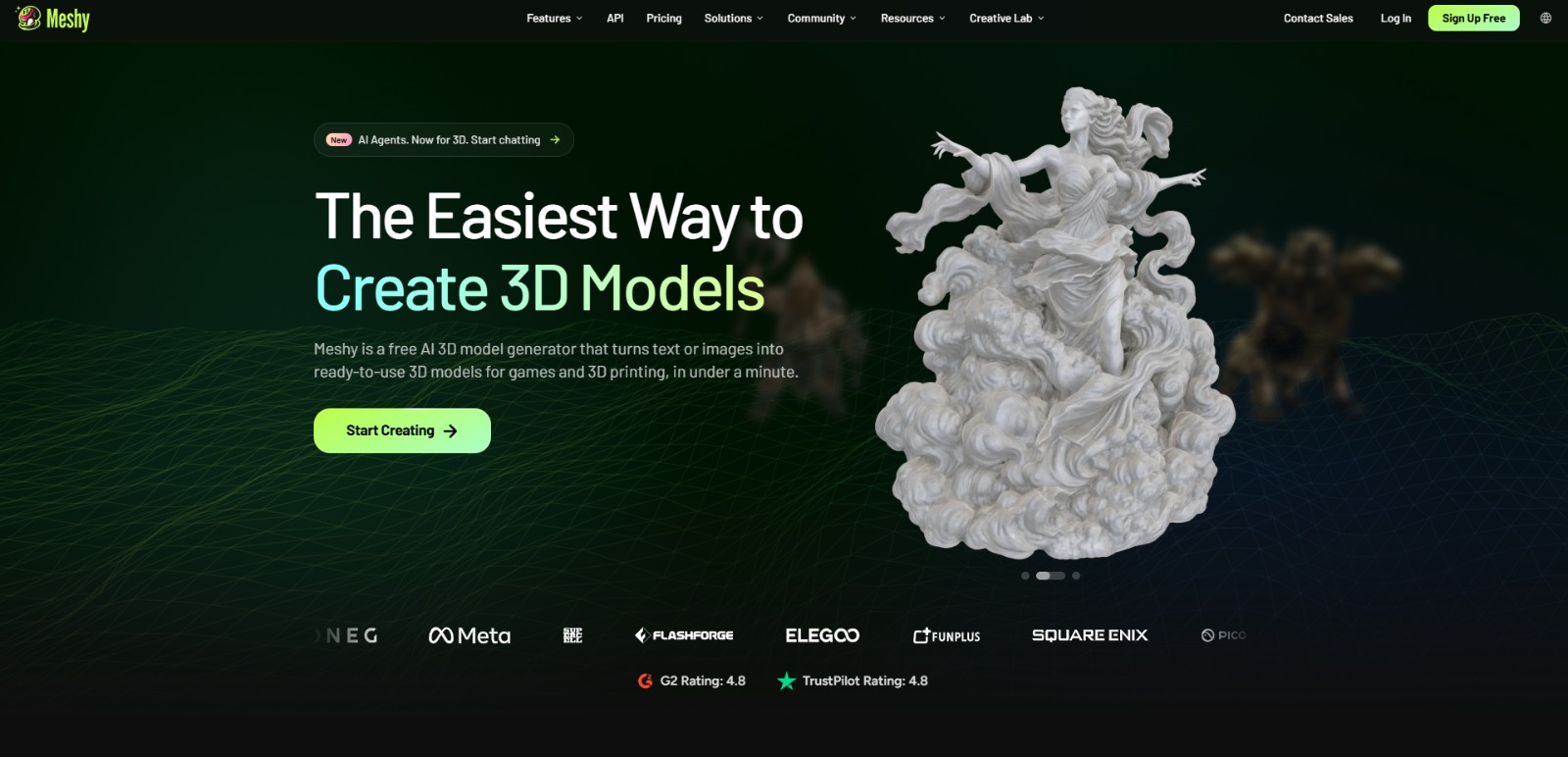
What Is Meshy and How Does This AI Tool Help with 3D Modeling?
Creating stunning 3D models has traditionally been a complex and time-intensive endeavor, often requiring specialized software, advanced skills, and a significant time investment. This can be a major hurdle for game developers, designers, and hobbyists eager to bring their ideas to life. If you’re wondering what is Meshy, you’re looking at a powerful solution designed to simplify this entire process, making advanced 3D creation more accessible than ever before.
This AI tool leverages the power of artificial intelligence to transform how we approach 3D asset generation, texturing, and even animation. Understanding this platform means unlocking new possibilities for rapid prototyping, efficient asset creation, and overcoming the common barriers associated with traditional 3D workflows.
It’s about empowering creators to focus more on their vision and less on the technical complexities. Once you understand What Is Meshy, check our detailed Meshy Review to compare features, pricing, pros, cons, and alternatives.
The Core Challenge: Complex and Time-Consuming 3D Modeling
For many aspiring creators, independent game developers, and even seasoned designers, the journey into 3D modeling often begins with a steep learning curve. Traditional software packages are incredibly powerful but can be intimidating, demanding months or even years to master. This complexity isn’t just about learning tools; it’s about understanding intricate concepts like topology, UV mapping, and sculpting techniques, which can feel like learning a new language.
The time commitment is another significant barrier. Crafting a single high-quality 3D model from scratch can take hours, days, or even weeks, depending on its detail and purpose. This manual, painstaking process can quickly deplete resources, especially for individuals or small teams operating on tight budgets and deadlines. The dream of populating a game world or designing a unique product can often get bogged down in the sheer labor of asset creation.
Beyond Modeling: The Hurdles of Texturing, Animation, and Asset Preparation
Even after a 3D model is meticulously crafted, the work is far from over. Bringing a model to life requires expert texturing—applying realistic surfaces, colors, and material properties. This often involves creating PBR (Physically Based Rendering) maps, which are crucial for how light interacts with the model in different environments. Manually generating these maps and ensuring they align perfectly with the model’s geometry is another time-consuming skill that demands precision and artistic flair.
Then comes animation. For game characters or interactive elements, models need to be rigged with a skeleton and then animated to perform actions. Auto-rigging tools exist, but often require significant manual cleanup, and creating fluid, believable animations is an art form in itself. The challenge intensifies when models need to be “game-ready” or “3D print-ready,” meaning they must meet specific technical requirements for polygon count, watertightness, and file compatibility, adding yet another layer of complexity.
Why These 3D Creation Challenges Impact Your Projects and Creativity
These persistent challenges in 3D modeling, texturing, and animation aren’t just minor inconveniences; they directly translate into significant roadblocks for creators. The extensive time and effort required for traditional methods often lead to lost time, pushing project deadlines further out and increasing overall development costs. For indie developers, this can mean the difference between launching a game on schedule or missing crucial market opportunities.
Furthermore, the steep learning curve and technical hurdles can stifle creativity. Instead of freely experimenting with new ideas or iterating rapidly, creators might find themselves limited by their current skill set or the sheer amount of manual work involved. This can lead to creative blocks, forcing compromises on design quality or scope, and ultimately resulting in a less ambitious or polished final product. The frustration of being unable to fully realize a vision due to technical constraints is a common pain point.
Meshy: Your AI-Powered Bridge to Effortless 3D Creation
Meshy isn’t just another piece of software; it’s a paradigm shift for anyone looking to generate high-quality 3D assets without years of specialized training. It democratizes the entire process, transforming simple text prompts or 2D images into fully realized 3D models, complete with textures and even basic animations. This platform is built to accelerate your workflow, reduce development costs, and unlock a new realm of creative possibilities for game developers, designers, and hobbyists alike.
Unlocking 3D Creativity: A Step-by-Step Look at Meshy’s Workflow
So, how does Meshy actually work its magic? At its core, this AI solution simplifies the often-intimidating journey from concept to a tangible 3D asset. Instead of wrestling with complex geometry or intricate UV maps, you’ll typically start by providing Meshy with your creative spark, and let its AI engine do the heavy lifting. It’s like having a digital sculptor and texture artist rolled into one, ready to interpret your ideas.
Input Your Vision
The first step is usually to tell Meshy what you want to create. This can take several forms, making the platform incredibly versatile. You might begin with a simple text description, much like you would with an AI image generator. Describe your desired object, character, or environment in detail, and Meshy’s AI will begin to conceptualize it in three dimensions. Alternatively, you could upload a 2D image—perhaps a concept sketch, a photograph, or a piece of digital art—and Meshy will use that as a visual reference to generate a corresponding 3D model.
AI Does the Heavy Lifting
Once your input is provided, Meshy’s powerful artificial intelligence algorithms spring into action. This is where the real transformation happens. The AI analyzes your text or image, interpreting the shapes, forms, and textures you’ve described or depicted. It then proceeds to generate a base 3D model, often taking care of the intricate topology and geometry that would typically require hours of manual sculpting. But it doesn’t stop there; Meshy can also automatically generate high-quality PBR textures, ensuring your model looks realistic and reacts correctly to lighting in any environment.
Beyond just modeling and texturing, Meshy can also assist with other crucial aspects of 3D asset preparation. For instance, some of its capabilities include auto-rigging, which adds a skeletal structure to your character models, making them ready for animation. This automation drastically cuts down on the time-consuming manual process of rigging, allowing you to quickly pose or animate your creations without getting bogged down in technicalities. The AI aims to deliver a “game-ready” or “render-ready” asset, minimizing post-generation cleanup.
Refine and Export
While Meshy excels at automation, it also understands that creators often need a personal touch. After the initial AI generation, you’ll typically have options to review and make refinements to your 3D model. This might involve adjusting textures, tweaking the model’s shape, or fine-tuning the rigging. The goal is to provide a balance between AI efficiency and creative control.
Once you’re satisfied with your creation, Meshy allows you to export your 3D assets in various standard formats, ensuring compatibility with popular 3D software, game engines, or 3D printing services. This seamless integration means your AI-generated assets can easily become part of your existing projects.
The Meshy Advantage: Speed, Simplicity, and Creative Freedom
The true value of integrating Meshy into your workflow extends far beyond just generating a 3D model. One of its most significant benefits is the unparalleled speed it brings to asset creation. What once took days or weeks of manual labor can now be accomplished in a fraction of the time, enabling rapid prototyping and accelerating project timelines. This efficiency directly translates into reduced development costs, making high-quality 3D content more accessible even for individuals and small teams with limited resources. It’s about doing more, faster, without compromising on quality.
Furthermore, Meshy significantly lowers the barrier to entry for 3D content creation. You no longer need to be a seasoned 3D artist to bring your visions to life. This simplification empowers a broader range of creators, from indie game developers to educators and marketers, to experiment and innovate without the steep learning curve.
By handling the technical heavy lifting, Meshy frees you to focus on the creative aspects—iterating on designs, exploring new ideas, and pushing the boundaries of your imagination. It truly transforms the creative process, allowing you to realize ambitious projects that might have previously seemed out of reach.
Meshy: Bridging Imagination and 3D Reality for Every Creator
So, after exploring its capabilities, what is this AI tool truly about? Meshy stands as a testament to the power of artificial intelligence in democratizing complex creative fields. It’s more than just a software; it’s a creative partner designed to dismantle the traditional barriers of 3D content creation. For anyone who has ever felt intimidated by the steep learning curve of conventional 3D software, Meshy offers a refreshing, accessible alternative.
Its durable value lies in its ability to transform simple inputs—be it text or a 2D image—into ready-to-use 3D assets with remarkable speed and efficiency. This makes it an invaluable asset for game developers needing rapid prototyping, designers visualizing concepts, or even educators creating interactive learning materials. Understanding this AI tool means recognizing a shift towards a future where your creative vision is no longer limited by technical skill or time constraints, but amplified by intelligent automation.
Transform Your Creative Workflow with AI-Powered 3D
Imagine the freedom of bringing your wildest 3D ideas to life in a fraction of the time, without wrestling with complex software or spending countless hours on manual tasks. Meshy isn’t just a tool; it’s an accelerator for your imagination, freeing you from technical burdens so you can truly focus on what you do best: creating. It’s about making your creative process smoother, faster, and infinitely more enjoyable.
Ready to unlock a new dimension of creativity and efficiency? Explore how Meshy can revolutionize your 3D projects today!
Discover Meshy and start creating
Meshy FAQs
What is Meshy primarily used for?
What is Meshy primarily used for?
Who benefits most from using Meshy?
Who benefits most from using Meshy?
How does Meshy generally transform ideas into 3D models?
How does Meshy generally transform ideas into 3D models?
Is Meshy suitable for beginners in 3D creation?
Is Meshy suitable for beginners in 3D creation?
CharlieAITools was created with love to help you discover the best AI tools and transform your life, your ideas, and your projects. We aim to share valuable resources with fellow entrepreneurs. Thanks a ton for your support!