Spline Review: Create Interactive 3D Experiences in Your Browser
In this Spline review, we’ll dive into its capabilities, explore who benefits most from its features, and help you decide if this innovative 3D design tool is the right fit for your creative projects.
Ever wished you could bring your web designs to life with stunning, interactive 3D content without wrestling with complex software or code? You’re not alone! Many creatives face the challenge of integrating dynamic 3D content into their projects. Enter Spline, a browser-based 3D design tool that aims to simplify this process, making advanced 3D accessible to everyone from seasoned designers to curious beginners. This platform promises a fresh approach to creating immersive digital experiences, right from your web browser.
What Is This Tool?
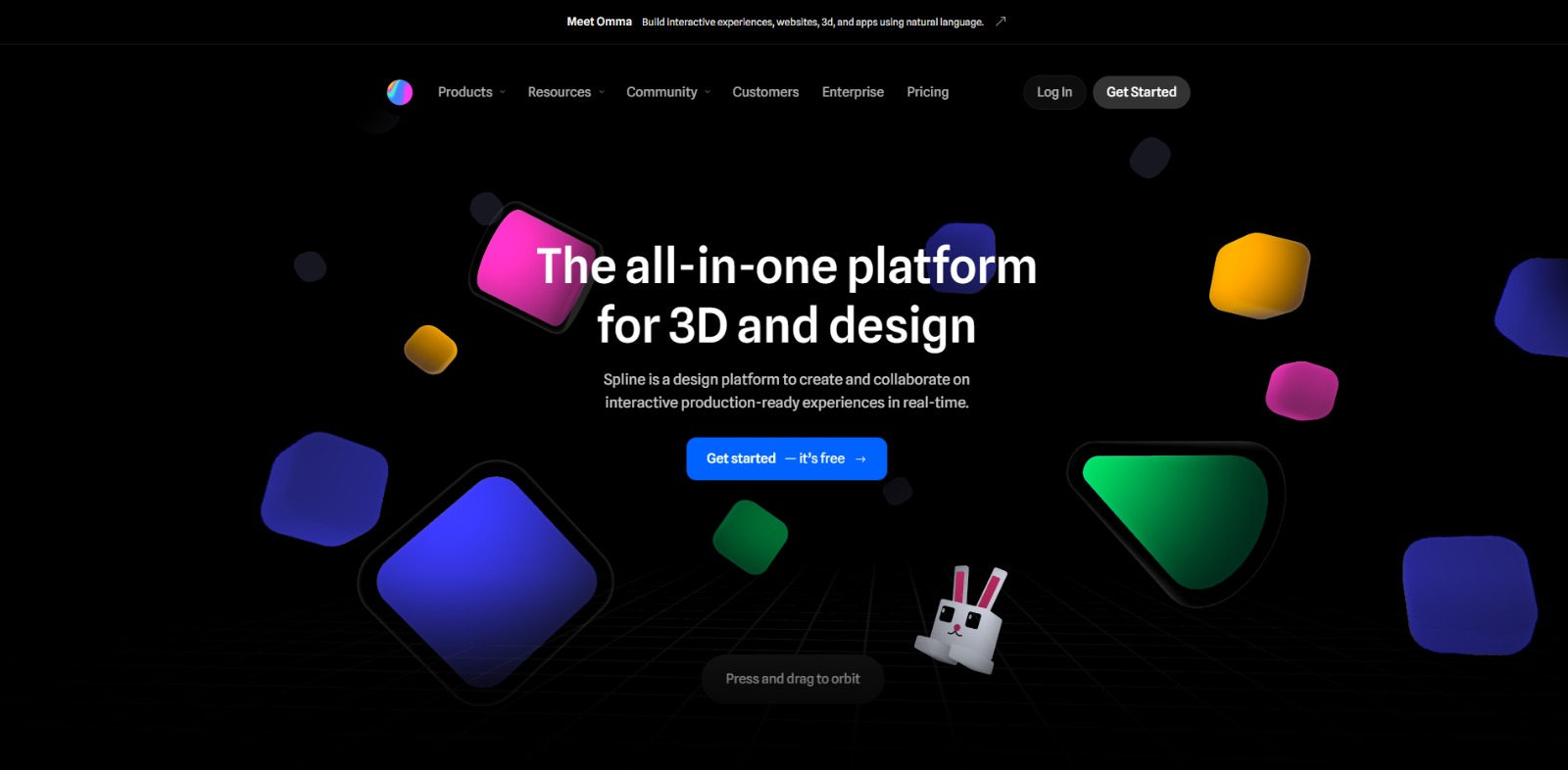
Spline is an innovative, browser-based 3D design and animation tool that empowers users to create interactive 3D content for the web. It provides a collaborative environment where designers can model, sculpt, animate, and add interactivity to 3D scenes, all without needing to download heavy software or write extensive code. The platform focuses on enabling the creation of production-ready 3D assets that can be easily integrated into websites, apps, and other digital experiences, making complex 3D design more accessible and efficient.
Why Is This Tool Important?
In today’s digital landscape, static content often struggles to capture attention. Users are increasingly seeking dynamic, immersive experiences, and interactive 3D content is quickly becoming a powerful way to stand out. However, the journey to creating such content has traditionally been fraught with obstacles. Many designers and developers grapple with the steep learning curve of complex 3D software, the high costs associated with professional licenses, and the frustrating lack of real-time collaboration features that hinder efficient teamwork.
This is where a solution like Spline steps in, addressing these critical pain points head-on. It democratizes 3D design by offering an intuitive, browser-based interface that significantly lowers the barrier to entry. Imagine being able to craft intricate 3D models and animations, then seamlessly integrate them into your web projects, all while collaborating with your team in real-time – no more endless file transfers or version control headaches!
The platform’s focus on web-ready interactive 3D is particularly vital. It helps bridge the gap between creative vision and technical implementation, allowing designers to focus on aesthetics and user experience rather than getting bogged down in development complexities. For anyone looking to elevate their digital presence with engaging 3D without the traditional hurdles, this tool presents a compelling and accessible pathway.
Top Features of This Tool
Let’s dive into the core capabilities that make this platform a game-changer for interactive 3D design:
Browser-Based Accessibility
No downloads, no installations, no fuss. This tool operates entirely within your web browser, making it accessible from virtually any device with an internet connection, whether you’re on Windows, macOS, Linux, or ChromeOS. This means you can start designing instantly, without system compatibility worries.
Real-Time Collaboration
Teamwork makes the dream work, right? The platform offers robust real-time collaboration features, allowing multiple users to work on the same 3D scene simultaneously. This streamlines feedback loops, accelerates design iterations, and ensures everyone is on the same page, no matter their location.
Intuitive 3D Modeling & Animation
From basic shapes to complex structures, this solution provides a comprehensive suite of tools for 3D modeling, sculpting, and texturing. You can also bring your scenes to life with powerful animation capabilities, creating smooth transitions and dynamic movements with ease.
Interactive Controls & Event System
This isn’t just about static 3D; it’s about engagement. The tool allows you to add interactivity to your designs, defining events and actions that respond to user input. Think hover effects, clicks, or even drag-and-drop elements, transforming passive viewers into active participants.
Production-Ready Export & Integration
Once your masterpiece is complete, getting it into your project is a breeze. The platform supports various export options, enabling you to integrate your interactive 3D scenes directly into web projects (e.g., HTML, CSS, JavaScript), or even for mobile applications, ensuring your designs are production-ready.
Material & Texture Customization
Give your 3D objects personality with a wide range of materials, textures, and lighting options. From glossy metals to soft fabrics, you have the creative freedom to achieve the desired visual aesthetic, making your designs truly pop.
Key Benefits
- Effortless Interactive 3D Creation: Simplifies the process of designing and animating engaging 3D content for the web, making it accessible to designers of all skill levels.
- Enhanced Team Productivity: Real-time collaboration features streamline workflows, reduce communication overhead, and accelerate project delivery.
- Faster Design Iteration: Quickly prototype and refine 3D concepts, allowing for rapid experimentation and feedback incorporation.
- Cost-Effective Solution: Offers a free tier and generally more affordable access to advanced 3D design capabilities compared to traditional desktop software.
- Seamless Web Integration: Provides straightforward methods to embed production-ready 3D assets directly into websites and web applications.
- Boosted User Engagement: Enables the creation of unique, dynamic, and immersive user experiences that capture attention and drive interaction.
Pros
- Highly Accessible & Browser-Based: No need for powerful hardware or complex installations; design from anywhere with an internet connection.
- Robust Real-Time Collaboration: Facilitates seamless teamwork, making it ideal for agencies and in-house design teams.
- Intuitive User Interface: Designed with ease of use in mind, significantly reducing the learning curve often associated with 3D software.
- Focus on Interactive Web Experiences: Tailored specifically for creating dynamic 3D content that integrates beautifully into web projects.
Cons
- Feature Depth Compared to Desktop Software: While powerful, this tool may not offer the same extensive, highly specialized features found in professional desktop 3D applications for extremely complex or photorealistic rendering.
- Performance Dependency: As a browser-based tool, its performance can sometimes be influenced by internet connection stability and browser capabilities.
Who Should Use It?
Web Designers & UI/UX Designers
- Create stunning hero sections, interactive product showcases, and engaging micro-interactions.
- Enhance user interfaces with dynamic 3D elements that improve visual appeal and usability.
- Prototype immersive web experiences without extensive coding.
Motion Designers & Graphic Designers
- Bring static designs to life with compelling 3D animations and motion graphics.
- Develop unique visual assets for branding, advertising, and digital campaigns.
- Experiment with new dimensions in their creative output.
Frontend Developers
- Integrate custom 3D assets and interactive scenes into web applications with ease.
- Collaborate directly with designers on 3D elements, streamlining the development process.
- Reduce the need for complex custom code to implement interactive 3D.
Marketing Specialists & Content Creators
- Produce eye-catching interactive content for social media, landing pages, and email campaigns.
- Create unique product visualizations that stand out from competitors.
- Engage audiences with immersive storytelling through 3D.
❤️ Also loved by: Product Designers, Game Designers (for prototyping), 3D Artists, Architectural Visualizers, Brand Managers, Creative Directors, Educators, Students, Digital Artists, Interactive Developers, E-commerce Managers, Presentation Designers, Social Media Managers, Freelance Creatives, Startup Founders.
Best AI Categories
Spline fits into these categories. Explore each page for alternatives and related tools.
Best Alternatives
If Spline is not a perfect fit, these alternative AI tools may cover different budgets, features, and use cases in AI 3D MODELING. Compare strengths, positioning, and why each tool might be a better fit for a specific workflow.
- Blender: A powerful, open-source 3D creation suite offering extensive modeling, sculpting, animation, and rendering capabilities. It’s ideal for professional 3D artists and studios who need a deep feature set and are comfortable with a steeper learning curve.
- Vectary: Another browser-based 3D design tool that focuses on ease of use and web integration, similar to Spline. It might appeal to users looking for a slightly different interface or specific template libraries for quick design.
- Three.js (with AI integrations): While primarily a JavaScript library for displaying 3D graphics in a web browser, it can be combined with AI tools for generative 3D or asset optimization. It’s best suited for developers who want maximum control and customizability over their interactive web 3D experiences.
- SketchUp: Known for its user-friendly interface and focus on architectural and interior design, SketchUp offers intuitive 3D modeling. It’s a great choice for those needing quick conceptual modeling, though its web interactivity features are less pronounced than Spline’s.
Pricing & Plans: Costs, Features & Value
While specific pricing details and plan structures for Spline are not clearly specified in our current data, the platform is known to offer a free tier, allowing users to get started and explore its core functionalities without an upfront investment. This makes it highly accessible for individuals and small teams looking to experiment with interactive 3D design. For more advanced features, increased storage, or professional capabilities, paid plans are typically available. As with any dynamic software, pricing, available plans, and feature sets may evolve over time. We always recommend checking the official Spline website directly for the most current and accurate information before making any purchasing decisions.
Ready to Bring Your Designs to Life in 3D?
Ready to transform your digital presence from static to spectacular? Imagine the impact of a website that truly engages, a product showcase that captivates, or a presentation that leaves a lasting impression – all powered by interactive 3D. This platform isn’t just a tool; it’s an invitation to unleash your creativity in a new dimension, simplifying the complex and making the impossible feel within reach. If you’re eager to craft immersive experiences that resonate with your audience and streamline your design workflow, it might just be the creative companion you’ve been searching for.
If you’re a designer, developer, or content creator looking to effortlessly integrate interactive 3D into your web projects, Spline offers a compelling solution. Why not explore its capabilities and see how it can elevate your next project?
Visit Spline
CharlieAITools was created with love to help you discover the best AI tools and transform your life, your ideas, and your projects. By signing up through my affiliate link, you help me keep this site running and continue to share valuable resources with fellow entrepreneurs. Thanks a ton for your support! 💛