Google Flow Review: Is This AI video generator Your Next Creative Powerhouse?
In this Google Flow review, we’ll explore how this innovative platform empowers creators with advanced AI for video and image generation, custom tool building, and streamlined workflows.
In the fast-paced world of digital creation, staying ahead means constantly seeking tools that amplify your vision without bogging you down. Google Flow emerges as a compelling contender, promising to transform how artists, designers, and content creators approach their craft. If you’ve ever felt limited by existing software or wished for a more intuitive way to bring complex ideas to life, this review will dive deep into whether Google Flow can truly unlock new levels of creativity and efficiency for your projects.
What Is This Tool?
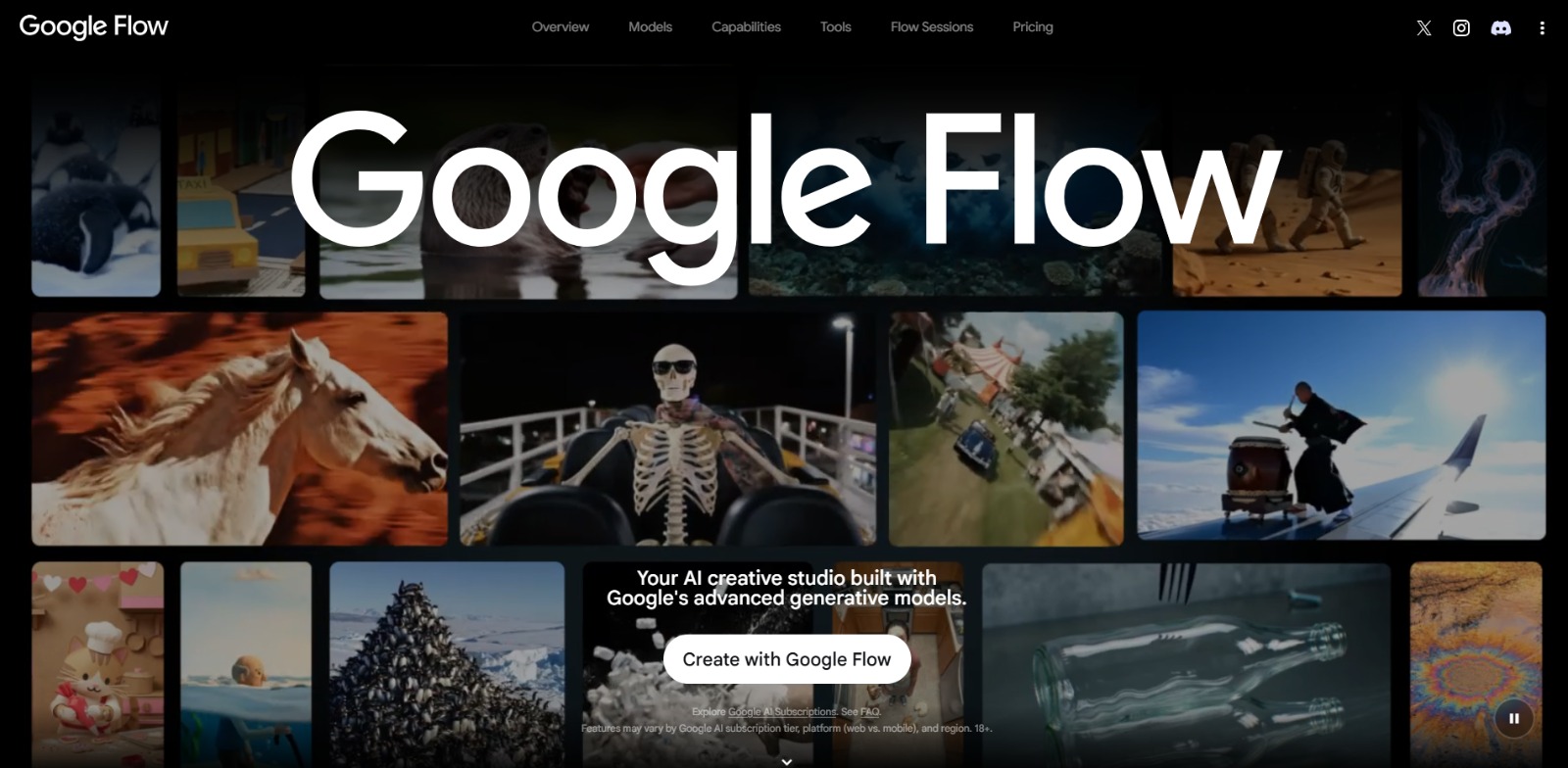
Google Flow is an AI-powered creative studio designed to revolutionize video and image generation and editing. It serves as an integrated platform where users can leverage advanced generative AI models to create, refine, and even build custom AI tools for their unique creative workflows.
This solution aims to provide a flexible canvas for diverse creative inputs, helping users move from ideation to execution with unprecedented speed and control.
Why Is This Tool Important?
Creators today face immense pressure to produce high-quality content rapidly, often grappling with the technical complexities of traditional software and the time-consuming nature of manual processes. The struggle to generate consistent, realistic AI images or craft compelling video narratives quickly can be a significant bottleneck.
Many professionals also find existing AI tools too rigid, lacking the customization needed for specialized tasks or unique artistic visions. This is where a platform like Google Flow steps in. It addresses these core pain points by offering an intuitive, AI-driven environment that simplifies complex tasks. By integrating powerful generative models, it aims to reduce the technical skill barrier, allowing more creators to achieve sophisticated visual effects and accelerate their production cycles.
For those who dream of pushing creative boundaries, this platform offers a pathway to develop bespoke AI tools, transforming abstract ideas into tangible, customizable solutions. It’s about empowering creators to not just keep up, but to innovate and lead in a visually demanding digital landscape, freeing them from repetitive tasks to focus on true artistic expression.
Top Features of This Tool
This AI creative studio is packed with capabilities designed to streamline and enhance your creative process. Here’s a look at some of its standout features:
AI-Powered Video Generation and Editing
The platform is engineered to facilitate the rapid creation of video content using advanced generative AI. It may include capabilities that leverage sophisticated models, such as those that could be compared to Gemini Omni or Veo 3.1, allowing users to generate dynamic scenes, animate elements, and perform complex edits through intuitive interfaces.
This feature aims to significantly cut down the time and effort traditionally required for video production.
Advanced Image Creation and Editing
Beyond video, this tool offers robust features for generating and manipulating images with AI. It can utilize powerful models, potentially including those akin to Nano Banana, to produce high-quality, consistent, and realistic images from text prompts or existing assets.
Users can expect capabilities for detailed image refinement, style transfer, and creative composition, making complex visual tasks more accessible.
Custom AI Tool Development
One of the most innovative aspects of this platform is the ability for users to create their own AI tools. This feature empowers creative professionals to design bespoke solutions tailored to their specific workflows or unique artistic challenges.
It provides a framework for building and sharing custom AI agents, extending the platform’s utility far beyond its out-of-the-box capabilities.
Intelligent Creative Agent for Ideation and Iteration
The platform may include an intelligent assistant designed to help with ideation and rapid iteration. This agent can assist in brainstorming concepts, suggesting creative directions, and refining outputs based on user feedback, acting as a collaborative partner in the creative process. It aims to reduce creative blocks and accelerate the journey from concept to final product.
Integrated Creative Studio Environment
This AI solution provides a unified environment where video and image creation, editing, and custom tool development coexist seamlessly. This integration means users don’t have to switch between multiple applications, fostering a more fluid and efficient workflow. It’s designed to be a comprehensive hub for all generative AI creative needs.
Key Benefits
- Accelerated Creative Production: Significantly speeds up the generation and editing of video and image content, allowing for faster iteration and delivery.
- Enhanced Control and Customization: Empowers users to fine-tune AI outputs and even build custom AI tools for unique workflows, offering unparalleled flexibility.
- Access to Cutting-Edge AI: Leverages advanced generative AI models, providing users with state-of-the-art capabilities for superior results.
- Streamlined Workflow: Integrates various creative functions into a single platform, reducing friction and improving efficiency from ideation to execution.
- Unlocks New Creative Possibilities: Enables exploration of complex visual effects and novel artistic expressions that might be difficult or impossible with traditional methods.
Pros
- Leverages Google’s powerful generative AI research and models, potentially offering high-quality outputs.
- Offers a unique ability to create custom AI tools, providing significant flexibility for specialized creative tasks.
- Integrates both video and image generation/editing into a single, cohesive creative studio environment.
- Aims to simplify complex creative processes, making advanced AI capabilities more accessible to a wider range of users.
Cons
- As a relatively new platform, it may have a learning curve for advanced features, especially custom tool creation.
- Specific pricing and credit systems are not detailed, and users should anticipate checking the official site for current costs and potential usage limitations.
Who Should Use It?
This AI creative studio is built for professionals and enthusiasts who are eager to harness the power of AI to elevate their visual content.
Video Editors & Motion Graphics Artists
- Seeking to rapidly prototype video concepts and generate complex animations.
- Looking for AI assistance in editing, scene generation, and visual effects.
- Aiming to reduce manual labor in repetitive video production tasks.
Graphic Designers & Digital Illustrators
- Needing to generate unique images, textures, and visual assets quickly.
- Exploring AI-driven tools for image manipulation, style transfer, and composition.
- Wanting to customize AI outputs to match specific brand guidelines or artistic styles.
Content Creators & Marketing Professionals
- Requiring a high volume of engaging video and image content for social media, ads, and campaigns.
- Looking to streamline content creation workflows and maintain brand consistency.
- Experimenting with innovative visual storytelling to capture audience attention.
Creative Technologists & AI Enthusiasts
- Interested in developing bespoke AI tools for niche creative applications.
- Eager to explore the cutting edge of generative AI for artistic expression.
- Seeking a platform that offers both powerful out-of-the-box features and deep customization options.
❤️ Also loved by: 3D Animators, Concept Artists, Filmmakers, Advertising Agencies, Game Developers, UI/UX Designers, Visual Effects Artists, Digital Illustrators, Creative Directors, AI Researchers, Media Producers, Storyboard Artists, Brand Managers, Digital Artists.
Best AI Categories
Google Flow fits into these categories. Explore each page for alternatives and related tools.
Best Alternatives
If Google Flow is not a perfect fit, these alternative AI tools may cover different budgets, features, and use cases in AI VIDEO. Compare strengths, positioning, and why each tool might be a better fit for a specific workflow.
- RunwayML: Known for its comprehensive suite of generative AI tools for video, image, and 3D, RunwayML is a strong contender for creators looking for diverse AI-powered media creation capabilities.
- Synthesia AI Studio: This platform specializes in AI video generation, often featuring virtual presenters and advanced text-to-speech, making it ideal for corporate videos, explainers, and marketing content.
- Midjourney: While primarily focused on high-quality image generation, Midjourney excels at creating stunning, artistic visuals from text prompts, appealing to artists and designers prioritizing aesthetic excellence.
- Stable Diffusion: An open-source option, Stable Diffusion offers immense flexibility for image and video generation, appealing to users who prefer greater control, customization, and community-driven development.
- Adobe Firefly: Integrated into the Adobe ecosystem, Firefly provides generative AI features for image and text effects, making it a natural choice for users already deeply embedded in Adobe Creative Cloud workflows.
- HeyGen: Focused on AI video generation with realistic avatars and voiceovers, HeyGen is excellent for quickly producing professional-looking videos for marketing, training, and communication without needing actors or cameras.
Pricing & Plans: Costs, Features & Value
Specific pricing and plan details for Google Flow are not clearly specified at this time. As with many cutting-edge AI platforms, users should anticipate a model that may involve usage-based credits, subscription tiers, or a combination.
The value derived from this platform will likely stem from its ability to significantly accelerate creative workflows, enable unique customizations through custom AI tools, and provide access to powerful generative AI models. For the most current and accurate information on costs, features included in various plans, and any free trial options, users should always consult the official Google Flow website directly before making any decisions. Pricing, available models, and feature sets are subject to change as the platform evolves.
Unlock Your Creative Vision with Google Flow
Imagine a world where your most ambitious creative ideas aren’t limited by technical hurdles or time constraints. Google Flow offers a glimpse into that future, providing a powerful, integrated studio where AI acts as your co-creator.
Whether you’re a seasoned professional looking to push boundaries or an aspiring artist eager to explore new mediums, this platform could be the catalyst for your next breakthrough. It’s about more than just generating content; it’s about building your own creative ecosystem, tailored to your unique needs and artistic voice.
Ready to see how this innovative AI solution can transform your projects?
Visit Google Flow today and explore its capabilities for yourself.
CharlieAITools was created with love to help you discover the best AI tools and transform your life, your ideas, and your projects. By signing up through my affiliate link, you help me keep this site running and continue to share valuable resources with fellow entrepreneurs. Thanks a ton for your support! 💛